As SaaS and AI-native companies evolve, so do their monetization needs.
Gone are the days when simple subscription billing could handle the complexities of a modern B2B company. Today’s growth-stage businesses demand flexible usage-based billing, automated revenue workflows, and AI-enhanced pricing logic to remain competitive. A wave of startups—and some mature players—are rising to meet this demand, redefining the core of how software companies generate and optimize revenue.
In this post, we break down the emerging landscape of modern revenue infrastructure by analyzing 9 standout companies: Metronome, Orb, Maxio, Paid.ai, Solvimon, Zenskar, PostHog, Sequence, and Paddle.
The Shift from Legacy Billing to Composable Monetization
Traditional billing platforms like Zuora or Chargebee were built in the era of flat subscriptions and manual workflows. But the modern SaaS business is:
Product-led (PLG), requiring granular metering of user behavior
Global, with currency, tax, and compliance complexity
AI-driven, where dynamic pricing and renewals must be handled in real-time
Enter the new monetization stack—an ecosystem of tools built API-first, designed for developers and RevOps teams alike.
Segmenting the Landscape: Four Clusters
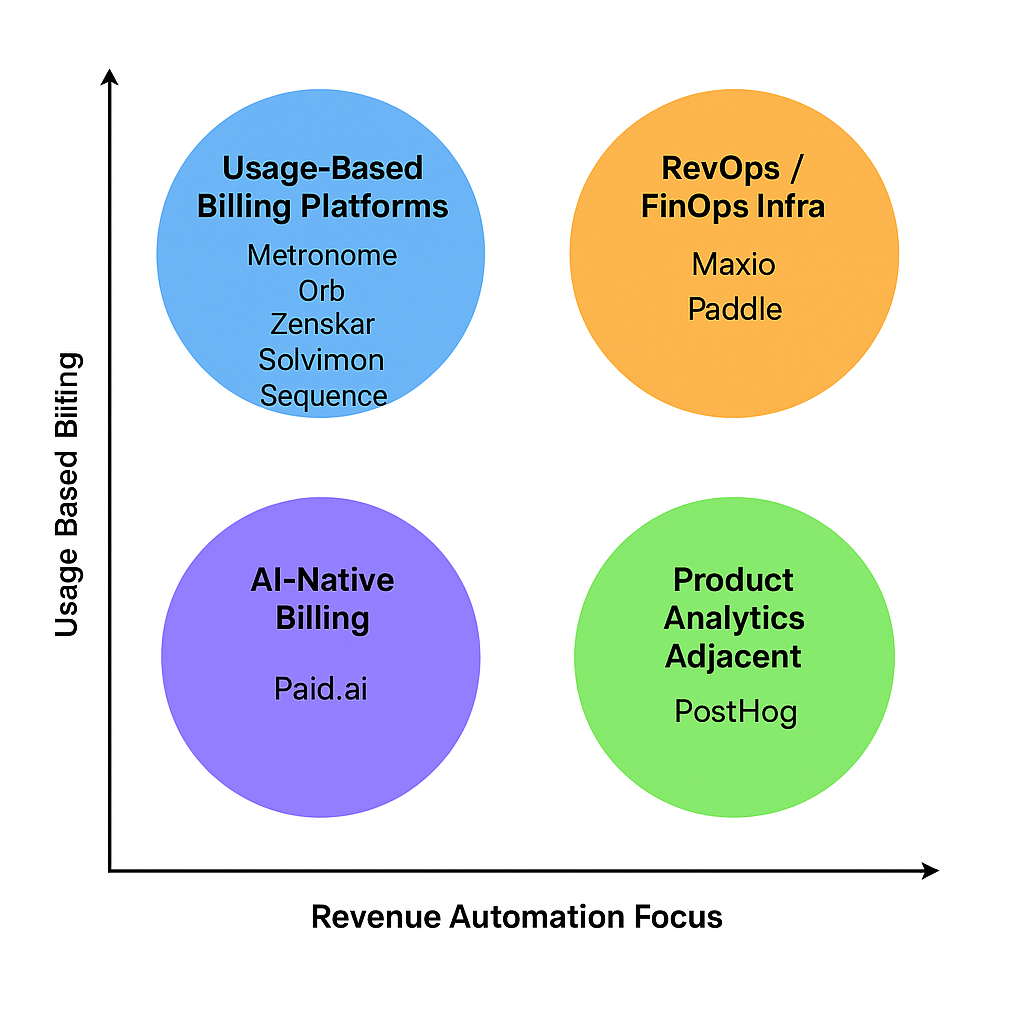
To make sense of this rapidly growing market, we segmented the companies into four distinct clusters:
1. Usage-Based Billing Platforms
These tools provide powerful metering, real-time billing, and pricing flexibility:
Metronome: Built for scale, Metronome is known for its developer-friendly APIs and real-time metering. Used by fast-growing SaaS businesses embracing usage-based pricing.
Orb: A strong choice for AI-native companies needing composable pricing logic and deep integrations.
Zenskar: Focuses on quote-to-cash and supporting hybrid pricing models.
Solvimon: Based in Europe, it supports sophisticated pricing rules for fintech and B2B software businesses.
Sequence: Positioned as a CPQ+Billing hybrid, with strong RevOps and approval workflows.
These platforms are ideal for high-growth SaaS teams that need precise control over how they bill based on real usage.
2. RevOps / FinOps Infrastructure
These platforms extend billing into revenue recognition, SaaS metrics, and compliance:
Maxio: A well-established name for financial operations, including deferred revenue and subscription analytics.
Paddle: Operates as a Merchant of Record, handling tax, fraud, payments, and compliance globally.
They’re especially suited for finance teams looking to unify monetization with compliance and reporting.
3. AI-Native Billing
This emerging category blends dynamic logic with automation:
Paid.ai: A newer player that acts as the brain of the revenue engine—handling renewals, pricing decisions, and billing using AI agents.
Perfect for experimental teams looking to future-proof their revenue stack.
4. Product Analytics Adjacent
These aren’t billing tools per se—but they inform monetization strategy:
PostHog: An open-source product analytics suite that helps companies understand usage patterns, retention, and conversion—crucial for pricing and packaging decisions.
Visualizing the Landscape
In our quadrant view, we plotted these companies along two axes:
X-axis: Revenue Automation Focus (manual vs automated workflows)
Y-axis: Usage-Based Billing Sophistication (flat rate vs dynamic pricing)
Each cluster reflects a different strategy for monetizing software:
Usage-billing companies dominate the top-left, prioritizing granular metering.
RevOps tools cluster top-right, integrating compliance and finance.
AI-native and analytics platforms fill in the bottom quadrants, each pushing innovation.
Who Should Use What?
Company Profile
Ideal Cluster
Early-stage PLG SaaS
PostHog, Metronome
Scaling SaaS with hybrid pricing
Orb, Zenskar, Sequence
Global SaaS needing tax/compliance
Paddle, Maxio
AI-native or dynamic pricing
Paid.ai
Looking Ahead
The lines between billing, finance, and product analytics are blurring. As GTM teams embrace more complex monetization strategies, the most successful platforms will be:
Composable: Integrating across CRM, data warehouse, and product systems
Real-time: Offering instant billing, pricing, and reporting
AI-native: Making predictive decisions on renewals, discounts, and pricing
These 9 companies are at the forefront of this transition. As the market matures, expect convergence—and consolidation—as businesses look for unified monetization platforms.
As B2B software moves from seat based or usage based pricing to outcome based pricing these companies are the new backbone behind many of the new AI startups.
They specialize in recurring revenue models, usage-based billing, or quote-to-cash processes. Their products go beyond billing to include features like revenue recognition, analytics, forecasting, and reporting.
Most platforms provide robust APIs or developer-centric tooling to integrate into existing SaaS stacks. They focus on infrastructure needed after a sale: invoicing, tax compliance, dunning, renewals, etc. These companies are part of an emerging wave disrupting legacy billing systems like Zuora, Aria, or Chargebee.
Company Name
Founding Year
Number of Employees
Key Products
Metronome
2019
130
Usage-based billing platform for SaaS companies.
Orb
2021
72
Modern billing infrastructure for AI and software companies.
Maxio
2009
235
Billing and financial operations platform for B2B SaaS, including subscription management and revenue recognition.
Paid.ai
2024
9
Business engine for AI agents handling pricing, subscriptions, margins, billing, and renewals.
Solvimon
2022
18
Monetization and billing automation platform for global fintech and B2B software businesses.
Zenskar
2022
64
Quote-to-cash platform automating complex subscription and usage-based billing with analytics.
PostHog
2020
85
Open-source product analytics and data toolkit used by over 70,000 teams.
Sequence
2021
30
Modern billing, CPQ, and revenue recognition platform for error-free revenue workflows.
Paddle
2012
360
Merchant of record solution for SaaS businesses, handling payments, tax, and subscription management.
I wanted to compare of AI-powered note-taking solutions Bee, Limitless, and Plaud, highlighting their key features, differences, and best use cases to help you choose the right tool.
In today’s fast-paced digital world, efficient note-taking is more important than ever. AI-powered note-taking solutions like Bee, Limitless, and Plaud are transforming how we capture, organize, and access information. Whether you’re a student, professional, or casual user, understanding the strengths and differences of these tools can help you pick the perfect fit for your needs. This comprehensive comparison dives into their features, usability, and ideal scenarios, so you can make an informed decision and boost your productivity with the right AI note-taking assistant.
Overview of AI-Powered Note-Taking Solutions What are AI-powered note-taking tools?
Imagine having a note-taking buddy who’s always alert, super organized, and ready to help you capture your ideas, meetings, or random thoughts with minimal effort. That’s essentially what AI-powered note-taking tools are all about. These are digital applications infused with artificial intelligence that go beyond simple typing and saving. They analyze, categorize, summarize, and even generate content based on your input, making your note-taking experience smarter and more efficient.
Traditional note apps like Evernote, OneNote, or Notion are great for storing and organizing information, but AI note-taking solutions add a layer of intelligence that can automatically transcribe spoken words, extract key points from lengthy texts, suggest related content, and help you find your notes faster. They leverage machine learning algorithms to understand context, recognize patterns, and adapt to your unique note-taking style, transforming a basic digital notebook into a proactive assistant.
In essence, AI note-taking tools are not just repositories—they’re active partners that enhance productivity, reduce manual effort, and help you focus on what truly matters: your ideas and creativity.
Why choose AI-driven solutions over traditional note apps?
So, why should you consider switching from classic note apps to AI-driven solutions? Well, here are some compelling reasons:
Automation and Efficiency: AI can transcribe meetings, lectures, or voice memos instantly, saving you time. It can also automatically organize notes based on topics, dates, or projects, reducing manual sorting. Smart Summarization: Long notes or articles can be condensed into bite-sized summaries, making it easier to review key points quickly. This is especially handy when revisiting large volumes of information. Enhanced Search Capabilities: Traditional apps rely on keyword searches, but AI can understand context and semantics, helping you find relevant notes even if you don’t remember exact words. Content Generation and Suggestions: Some AI note apps can suggest related notes, generate outlines, or even write drafts based on your input, sparking creativity and reducing writer’s block. Personalization: AI learns your habits, preferred formats, and frequently used tags, tailoring the experience to your workflow and making note management more intuitive.
Compared to note-taking comparison charts like Evernote comparison or Notion Evernote comparison, AI-powered solutions often stand out because they adapt and evolve with your needs, offering a more dynamic and responsive experience. They’re not just static repositories—they’re intelligent assistants designed to make your life easier and more productive.
Brief introduction to Bee, Limitless, and Plaud
Now, let’s get to know some of the exciting players in the AI note-taking solutions arena: Bee, Limitless, and Plaud. These platforms are gaining attention because they combine the power of AI with user-friendly interfaces, aiming to redefine how we take and manage notes.
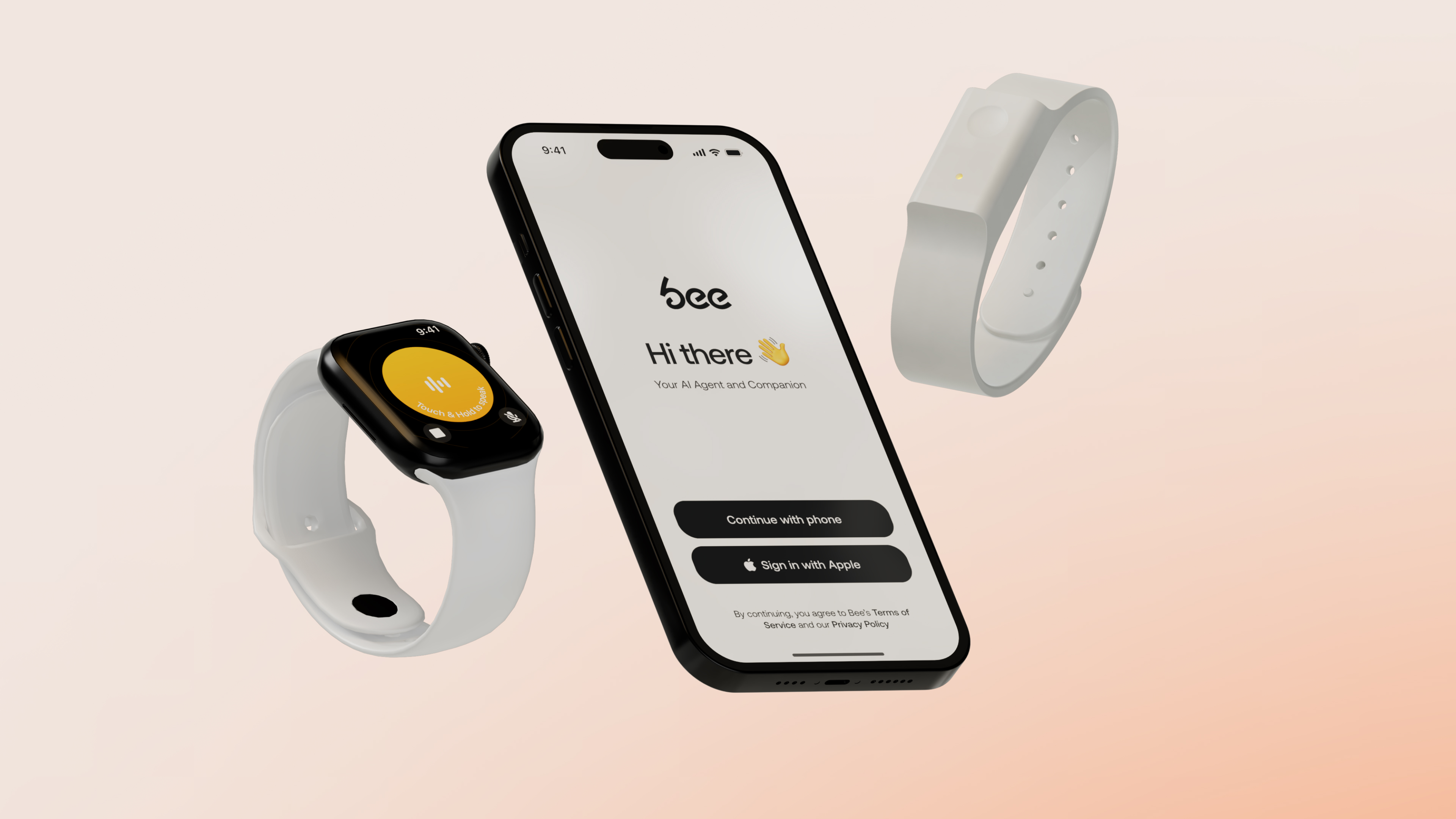
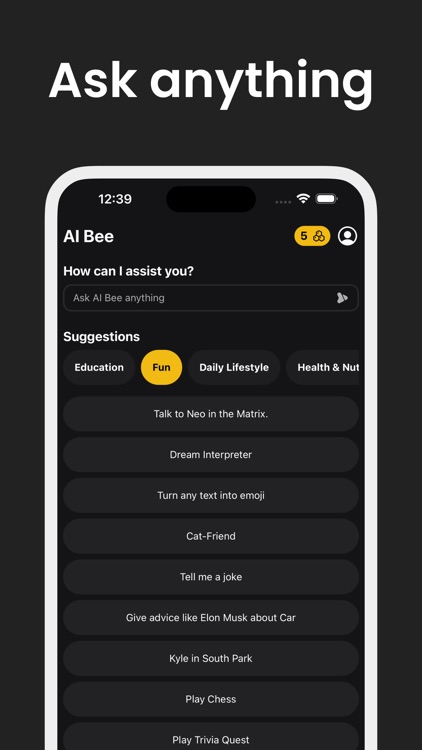
Bee is an innovative AI note app that emphasizes seamless voice-to-text capabilities and intelligent organization. It’s designed for users who want to capture ideas on the fly and have the app automatically categorize and summarize their notes. Bee’s standout feature is its ability to recognize different contexts—whether you’re jotting down a quick reminder or drafting a detailed project plan—and adapt accordingly.
Limitless takes a slightly different approach by focusing on integrating various content types—text, images, audio, and even video—into a unified AI-powered workspace. Its strength lies in its versatility and the way it leverages AI to connect related content, making note-taking not just about writing but about creating a rich, interconnected knowledge base.
Plaud is tailored for collaborative environments, with AI features that facilitate team note sharing, real-time transcription, and automatic task extraction. It’s perfect for teams or study groups who want to keep everyone on the same page and ensure that no important detail slips through the cracks. Plaud’s AI-driven insights help teams prioritize and act on their notes more effectively.
These three platforms exemplify the trend toward smarter, more intuitive note-taking solutions powered by AI. Whether you’re a student, professional, or creative, exploring these options can open up new ways to capture and utilize your ideas with less hassle and more impact.
Key Features of Bee Core functionalities and AI capabilities
When diving into the world of AI note-taking solutions, Bee stands out as a versatile and intelligent tool designed to streamline your note-taking process. Its core functionalities are built around advanced AI capabilities that not only help you jot down ideas but also enhance your productivity through smart suggestions, automatic summarization, and contextual understanding. Unlike traditional note-taking apps, Bee leverages cutting-edge AI to transform the way you capture and organize information, making it one of the best AI note apps available today.
At the heart of Bee’s core functionalities is its ability to recognize and interpret natural language. Whether you’re dictating a quick reminder or drafting a detailed project plan, Bee’s AI can understand context, identify key points, and even suggest relevant tags or categories. This feature is especially useful when performing a note-taking comparison with other popular apps like Evernote or Notion, where AI-driven organization can make a significant difference.
Another standout feature is automatic summarization. If you’re reviewing lengthy meeting notes or research material, Bee can generate concise summaries, saving you time and helping you focus on what’s important. This is a game-changer compared to traditional note-taking apps that require manual highlighting or separate summarization tools. Additionally, Bee’s AI can detect patterns and relationships between notes, enabling smarter linking and cross-referencing, which is invaluable during a note taking app comparison or an Evernote comparison.
Furthermore, Bee incorporates intelligent search capabilities. Instead of sifting through endless notes, you can ask the AI questions or search with natural language queries, and it will retrieve relevant information instantly. This feature aligns with the trend of AI note-taking solutions aiming to make information retrieval more intuitive and efficient, surpassing many standard note-taking apps in speed and accuracy.
User interface and ease of use
One of the key aspects that make Bee appealing in the crowded market of note-taking apps is its user interface. Designed with a casual, user-friendly approach, Bee offers a clean and intuitive layout that minimizes clutter and maximizes usability. Whether you’re a tech novice or a seasoned note-taking pro, you’ll find navigating Bee straightforward and enjoyable.
The onboarding process is smooth, with guided tutorials that help you get started quickly. The interface emphasizes simplicity—think minimal buttons, easy drag-and-drop features, and smart organization options that automatically categorize your notes based on content. This makes Bee one of the best AI note apps for users who want powerful features without a steep learning curve.
For note creation, Bee offers multiple input methods—typing, voice dictation, or even attaching multimedia files. Its AI-powered suggestions appear contextually, helping you expand your notes or refine your ideas without interrupting your workflow. The editing tools are accessible yet unobtrusive, allowing you to focus on content rather than fiddling with complex menus.
Moreover, Bee’s interface adapts seamlessly across devices. Whether you’re on a desktop, tablet, or smartphone, the layout remains consistent, ensuring a smooth experience. This cross-platform compatibility is crucial, especially when performing a note-taking comparison with apps like OneNote or Notion, which also emphasize multi-device synchronization.
Ease of use extends to collaboration features as well. Sharing notes, commenting, and real-time editing are integrated smoothly, making Bee suitable for both personal and team projects. The casual design encourages frequent use, helping you develop a habit of capturing ideas effortlessly—something that sets it apart from more rigid note-taking solutions.
Integration options and compatibility
In today’s interconnected digital landscape, integration options can make or break a note-taking app. Bee recognizes this and offers a wide array of compatibility features to fit into your existing workflow. Whether you’re using productivity suites like Google Workspace, Microsoft Office, or other AI note-taking solutions, Bee plays well with many platforms.
One of the reasons Bee is considered among the best AI note apps is its ability to sync seamlessly with popular cloud storage services such as Google Drive, Dropbox, and OneDrive. This means your notes are accessible across devices and can be easily backed up or shared with collaborators.
Additionally, Bee integrates with calendar apps, email clients, and task management tools, allowing you to embed reminders, attach emails, or link notes to specific projects. This level of integration makes it a versatile tool that can serve as a central hub for your information management, comparable to or even surpassing the note taking app comparison with Notion or Evernote.
For developers and power users, Bee offers API access, enabling custom integrations and automation workflows. This flexibility ensures that Bee can adapt to various workflows, whether you’re automating note organization or connecting with other AI tools for enhanced productivity.
Compatibility with voice assistants and AI platforms is also a highlight. You can dictate notes via Siri, Google Assistant, or Alexa, and Bee will process and organize them accordingly. This feature aligns with the trend of AI note-taking solutions becoming more integrated into daily routines, making note capture effortless and natural.
Overall, Bee’s integration options and compatibility make it a robust choice for users seeking a flexible, interconnected note-taking environment. Whether you’re comparing it to OneNote or exploring AI note-taking solutions, Bee’s compatibility ensures it can be woven into your digital ecosystem seamlessly.
Key Features of Limitless Unique AI features and smart organization
When it comes to AI note-taking solutions, Limitless truly stands out from the crowd. Unlike some of the best AI note apps that rely solely on basic functionalities, Limitless integrates advanced AI capabilities that make note organization feel almost effortless. Imagine having a smart assistant that not only captures your ideas but also intelligently categorizes, tags, and summarizes your notes without you lifting a finger. This is the kind of innovation that sets Limitless apart in the note-taking comparison landscape.
One of the core features is its ability to understand context. Whether you’re jotting down meeting minutes, brainstorming ideas, or compiling research, the AI engine analyzes your input and suggests optimal organization methods. For example, it can automatically create folders or tags based on content themes, making future retrieval a breeze. This smart organization reduces clutter and ensures that your notes are always where you need them, when you need them.
Additionally, Limitless employs natural language processing (NLP) to enhance the note-taking experience. As you type or speak your ideas, the AI can generate summaries, highlight key points, or even suggest related notes. This transforms traditional note-taking into an interactive, dynamic process. Compared to other note-taking apps, where manual tagging and searching can be tedious, Limitless’s AI-driven approach makes finding information faster and more intuitive.
Another standout feature is its ability to learn from your habits. Over time, the AI adapts to your note-taking style, offering personalized suggestions that streamline your workflow. Whether you’re a student, professional, or creative, this adaptive intelligence ensures that Limitless remains a tailored tool that grows with your needs.
Collaboration and sharing features
In today’s interconnected world, collaboration is king. Limitless recognizes this and offers a suite of collaboration and sharing features that rival the best note apps on the market. Unlike some note-taking comparison tools that focus solely on individual use, Limitless makes teamwork seamless and intuitive.
One of its key strengths is real-time editing. Multiple users can work on the same note simultaneously, with changes syncing instantly across devices. This is perfect for team projects, brainstorming sessions, or classroom settings where instant feedback is essential. Plus, the platform supports comments and annotations, allowing collaborators to communicate directly within notes without switching to external apps.
Sharing is also a breeze. You can generate shareable links with customizable permissions—view-only, comment, or edit—giving you control over how your notes are accessed. Whether you want to share a project brief with a colleague or send a summarized report to a client, Limitless simplifies this process with its intuitive sharing options.
Furthermore, the app integrates with popular communication platforms like Slack, email, and even project management tools. This integration ensures that your notes can flow seamlessly into your existing workflow, making collaboration more efficient than ever. For teams that rely on note-taking comparison to decide on the best tools, Limitless’s collaborative features often tip the scales in its favor.
Platform support and accessibility
One of the biggest advantages of Limitless is its platform support and accessibility. Unlike some note-taking apps that are locked into specific ecosystems, Limitless is designed to work across multiple devices and operating systems, ensuring you’re never out of sync.
Whether you prefer Windows, macOS, Android, or iOS, Limitless offers dedicated apps that provide a consistent experience. Its web version is equally robust, allowing you to access your notes from any device with an internet connection. This cross-platform support is a major plus when doing a note-taking comparison, especially against platforms like OneNote compare or Notion Evernote comparison, which may have limitations or less seamless integration across different environments.
Accessibility features are also a priority. The app supports voice input, screen readers, and customizable display options, making it usable for people with diverse needs. For instance, if you’re on the go and can’t type easily, voice notes can be transcribed directly into your workspace, thanks to the AI note-taking solutions integrated into Limitless.
Moreover, the app’s cloud-based architecture ensures your data is synchronized securely and instantly across all your devices. This means you can start a note on your phone during a commute, continue editing on your tablet at home, and review it later on your desktop—all without missing a beat. Such flexibility and accessibility are crucial in today’s fast-paced, mobile-centric world, and they position Limitless as a top contender among note-taking comparison tools.
Key Features of Plaud Specialized AI tools and note enhancement
When it comes to AI note-taking solutions, Plaud stands out by integrating cutting-edge AI tools that truly elevate your note-taking game. Unlike traditional note apps, which often rely solely on manual input and basic organization, Plaud leverages artificial intelligence to make your notes smarter, more organized, and easier to access. Think of it as having a personal assistant that not only records your thoughts but also helps refine, categorize, and enhance them seamlessly.
One of the standout features in the best AI note apps is the ability to automatically summarize lengthy notes, extract key points, and even suggest related content. Plaud’s AI algorithms analyze your notes in real-time, highlighting important information and reducing clutter. This makes reviewing your notes faster and more efficient, especially when you’re juggling multiple projects or studying for exams.
Furthermore, Plaud’s AI tools facilitate note enhancement through smart tagging and contextual understanding. For example, if you jot down a meeting agenda or a lecture topic, the AI can recognize key themes and tag them accordingly, making future searches a breeze. This is a game-changer compared to traditional note-taking apps that require manual tagging or categorization, which can be time-consuming and prone to oversight.
Additionally, Plaud offers intelligent voice-to-text conversion, allowing you to dictate notes on the go. Its AI-driven transcription is highly accurate, capturing nuances and context that many other note-taking solutions struggle with. This feature is especially useful for busy professionals or students who prefer speaking over typing, making Plaud one of the best AI note apps for versatility and speed.
Customization options and user control
One of the reasons Plaud has gained popularity in the note-taking comparison is its extensive customization options. Unlike some note-taking apps that box you into rigid templates or limited layouts, Plaud gives you the freedom to tailor your workspace to suit your style. Whether you’re a visual learner who loves color-coded notes or someone who prefers minimalist design, Plaud accommodates your preferences.
Users can customize the interface, choose from various themes, and even set up personalized shortcuts for frequently used features. This level of control ensures that your note-taking environment feels intuitive and comfortable, encouraging consistent use and productivity.
Moreover, Plaud offers flexible organization tools. You can create nested notebooks, tags, and labels that suit your workflow. Want to organize notes by project, topic, or priority? No problem. The app’s drag-and-drop functionality makes restructuring your notes effortless. Compared to other note-taking apps like Evernote or Notion, which also boast customization, Plaud’s user control is praised for being straightforward yet powerful.
Another aspect worth mentioning is privacy and data control. Plaud allows you to decide how your data is stored and shared. You can opt for local storage, cloud syncing, or a hybrid approach, giving you peace of mind about your sensitive information. This level of user control over privacy settings is often overlooked in note-taking comparison but is vital for professionals handling confidential data.
Device compatibility and syncing
In today’s fast-paced world, seamless device compatibility and syncing are non-negotiable features in the best AI note apps. Plaud shines in this area by supporting a wide range of devices and platforms, including smartphones, tablets, laptops, and desktops. Whether you’re an Android user, an iOS enthusiast, or someone who prefers working on Windows or Mac, Plaud has got you covered.
What sets Plaud apart from other note-taking solutions is its real-time syncing capability. Your notes are automatically updated across all devices, ensuring you always have the latest version at your fingertips. This is particularly useful when comparing it to other note taking app comparisons like Evernote vs. Notion or OneNote compare, where syncing issues can sometimes hinder productivity.
Additionally, Plaud offers offline access, allowing you to view and edit your notes without an internet connection. Once reconnected, all changes are synchronized seamlessly. This feature is essential for users who travel frequently or have unreliable internet access, making Plaud one of the most versatile AI note-taking solutions available.
Furthermore, Plaud’s cloud infrastructure is designed for security and speed. The app employs encryption protocols to protect your data during transfer and storage, giving you confidence that your notes are safe. Its cross-platform compatibility and effortless syncing make it a top contender among note-taking comparison charts, especially for users who need reliable, quick access to their notes from multiple devices.
Comparing User Experience and Interface Design and navigation differences
When diving into the world of note-taking solutions, especially with the rise of AI note-taking solutions and the best AI note apps, the design and navigation aspects become crucial. If you’ve ever used a note-taking app comparison like Evernote comparison or Notion Evernote comparison, you’ll notice that each platform has its unique approach to layout and user flow. Some apps lean towards minimalism, focusing on a clean interface that minimizes distractions, while others pack in features with dense menus and complex hierarchies.
For instance, note taking apps comparison often highlights how Evernote’s interface is more traditional—think sidebar navigation and notebook stacks—making it familiar for long-time users. In contrast, Notion’s design is more modular, allowing users to customize their workspace with drag-and-drop blocks. The difference in design philosophy directly impacts how users navigate through their notes. Evernote’s straightforward notebook and note structure makes it easy to find what you need quickly, whereas Notion’s flexible pages and databases can feel overwhelming at first but offer more customization.
Moreover, AI note-taking solutions are pushing the envelope by integrating smart suggestions and contextual tools directly into the interface. These features can either streamline navigation or complicate it, depending on how well they’re integrated. The key takeaway is that design and navigation are deeply intertwined with user experience—an intuitive layout can make or break your productivity, especially when managing large volumes of notes or complex projects.
Learning curve and onboarding process
When comparing note-taking apps, one of the biggest differences often lies in the learning curve and onboarding process. Take the note taking comparison between Onenote compare and other apps—Onenote’s interface is familiar to many Windows users, which eases onboarding. However, for newcomers, especially those unfamiliar with Microsoft Office ecosystem, it might seem overwhelming at first glance.
On the flip side, apps like Notion or some of the best AI note apps tend to have a steeper initial learning curve. They offer a vast array of features and customization options, which can be intimidating for new users. That said, many of these platforms now include guided tutorials, onboarding checklists, and video walkthroughs to help users get started quickly. The onboarding process for AI note-taking solutions often emphasizes demonstrating how AI features can save time—like automatic note summarization or smart tagging—making the initial learning phase more engaging.
In the note-taking comparison, apps with a simpler, more streamlined onboarding process tend to retain new users better, especially those who just want a quick way to jot down ideas or organize notes without a steep learning curve. Conversely, apps that require more time to master can be more powerful in the long run but might deter casual users or those new to digital note-taking.
Mobile vs desktop usability
1.90.3-R6LBT6MTG6PDGHDGG4FQCS75IQ.0.1-6
When comparing user experience across platforms, mobile vs desktop usability is a hot topic. Many of the best AI note apps are designed to work seamlessly across devices, but their usability can differ significantly. For example, Evernote comparison often highlights how well the app adapts to mobile devices—offering quick note creation, voice memos, and photo attachments on the go. Its desktop version, meanwhile, provides a more comprehensive workspace with advanced formatting options and integrations.
Apps like OneNote excel in this area by providing a consistent experience across platforms. The mobile app is optimized for touch, with swipe gestures and simplified menus, while the desktop version offers more robust features for detailed editing and organization. This consistency is vital for users who rely on their notes throughout the day, switching between devices.
AI note-taking solutions are increasingly focusing on mobile usability, integrating features like voice commands and real-time AI assistance directly into mobile apps. This allows users to capture ideas quickly, no matter where they are, without sacrificing functionality. However, some complex features may still be better suited for desktop environments, where screen real estate and processing power support advanced workflows.
Ultimately, the best note-taking experience balances mobile convenience with desktop power. For users who need quick access and editing capabilities on the go, a mobile-optimized interface with intuitive navigation is essential. Meanwhile, power users working on detailed projects will appreciate a desktop interface that doesn’t compromise on features or usability.
Performance and Accuracy of AI Features Note recognition and transcription quality
When it comes to AI note-taking solutions, one of the biggest deal-breakers is how accurately they can recognize and transcribe your voice or handwritten notes. If you’ve ever tried using the best AI note apps, you know that even the most advanced tools sometimes stumble over accents, background noise, or messy handwriting. This is where the note taking app comparison really shines a light on which solutions excel and which need a bit more work.
In the realm of note recognition, AI-powered note-taking solutions have made huge strides. For example, some apps leverage deep learning models trained on vast datasets, enabling them to distinguish between similar-sounding words or interpret scribbled notes with surprising precision. When you compare Evernote versus Notion or OneNote, you’ll notice differences in how well they handle transcription tasks. Evernote, for instance, has long been praised for its reliable OCR (optical character recognition) capabilities, especially when dealing with scanned documents and images. Meanwhile, Notion’s focus on organization sometimes means its transcription isn’t as refined but still quite effective for digital notes.
Transcription quality isn’t just about getting the words right; it’s also about capturing context, punctuation, and formatting. Some AI note apps now incorporate natural language processing to improve contextual understanding, making the transcribed notes more readable and useful. For example, AI note-taking solutions like Otter.ai or Descript often outperform traditional note apps in this area, offering near-human accuracy, especially in clear audio recordings. However, even top-tier AI note apps can struggle with technical jargon, overlapping voices, or noisy environments, which can lead to errors or missed content.
Ultimately, the best AI note apps are those that strike a balance between high accuracy and ease of use. When doing a note taking app comparison, pay close attention to user reviews and testing results—some solutions might boast great features but falter in transcription accuracy. The key is to find a tool that reliably captures your notes without requiring constant manual correction, saving you time and frustration in your workflow.
AI suggestions and content organization
Another major factor in AI note-taking solutions’ performance is how well they can suggest relevant content and organize your notes. The best AI note apps don’t just transcribe—they actively help you make sense of your information. For instance, AI suggestions can include auto-tagging, smart categorization, or even recommending related notes based on your current content. This is where the note-taking comparison gets really interesting, especially when comparing giants like Evernote, Notion, and newer AI-powered apps.
In a typical note taking app comparison, you’ll find that some solutions excel at content organization thanks to advanced AI algorithms. Notion, for example, offers flexible templates and databases, but its AI features for suggestions are still evolving. Evernote, on the other hand, uses AI to automatically tag and categorize notes, making it easier to retrieve information later. Some of the best AI note apps like Obsidian or Roam Research focus heavily on linking notes contextually, and their AI integrations help surface relevant content based on your note history.
AI-driven content organization isn’t just about sorting; it’s also about enhancing your productivity. Features like intelligent search, automatic summaries, and contextual recommendations help you find what you need faster. For example, if you’re working on a project, these AI suggestions can surface related notes, previous research, or relevant files, turning your scattered notes into a cohesive knowledge base. When doing a note-taking comparison, look for solutions that incorporate these smart features—because they can significantly boost your efficiency and make your notes more valuable over time.
Speed and responsiveness
Last but definitely not least, speed and responsiveness are critical when evaluating AI note-taking solutions. No matter how accurate or feature-rich a tool is, if it lags or responds sluggishly, it can ruin your workflow. In the note taking app comparison, this aspect often tips the scales between good and great solutions.
Modern AI note apps leverage cloud computing and optimized algorithms to deliver near-instant results. For instance, apps like OneNote and Evernote are known for their quick syncing and real-time editing capabilities. When you compare them with newer AI note apps, you’ll notice that some may experience delays during transcription or content suggestions, especially if your internet connection isn’t optimal. The best AI note apps are designed with responsiveness in mind—offering seamless typing, quick search, and instant suggestions without noticeable lag.
Speed also encompasses how efficiently the app handles large volumes of notes. If you’re a power user with hundreds or thousands of notes, responsiveness becomes even more critical. AI features like auto-tagging or content organization should work smoothly without slowing down your device or app. When doing a note-taking comparison, consider not only the raw speed but also how well the app maintains performance as your note library grows. This ensures that your AI-powered note-taking solutions remain reliable and efficient, no matter the scale of your work.
Pricing Models and Subscription Plans Cost comparison of Bee, Limitless, and Plaud
📊 Pricing Comparison Table
Feature
Bee
Limitless
Plaud
Device Price
$49.99
$99 (preorder price)
$169
Free Plan
Yes
Yes (1,200 min/month transcription)
Yes (300 min/month transcription)
Paid Subscription
$12/month
$19/month (annually) or $27/month
$12.99/month or $79/year
Key Benefits
Personalized AI insights
Unlimited AI features and audio storage
Advanced transcription and AI features
When diving into the world of AI note-taking solutions, one of the first things that catches everyone’s eye is the pricing. With so many options out there—each promising to revolutionize your note-taking game—it’s essential to compare their costs and see which one offers the best bang for your buck. Let’s take a closer look at Bee, Limitless, and Plaud, three of the top contenders in the note-taking app comparison space, especially within the realm of best AI note apps.
Starting with Bee, this platform offers a straightforward subscription model. Its pricing tiers are designed to cater to different user needs, from casual note-takers to heavy-duty professionals. The basic plan is quite affordable, making it an attractive choice for students or those just exploring AI note-taking solutions. The premium plans, however, offer additional features like unlimited storage, advanced AI capabilities, and integrations with other productivity tools, which naturally come at a higher price point.
Limitless takes a slightly different approach. Its cost comparison reveals a focus on offering extensive features at a competitive rate. The platform’s entry-level plan is modest, but as you move up to the pro tier, you gain access to features like collaborative editing, enhanced AI note-taking solutions, and priority customer support. Interestingly, Limitless often bundles features that would typically be paid add-ons in other note-taking comparison charts, making it an appealing option for power users.
Finally, Plaud positions itself as a premium AI note app, with a pricing model that reflects its advanced capabilities. Its basic plan is comparable to the other two, but the real value lies in its high-tier subscriptions, which include AI-powered summarization, contextual note linking, and even voice-to-note features. While it might be pricier, many users find that the added value justifies the cost, especially if they rely heavily on AI note-taking solutions for their workflow.
In terms of actual numbers, here’s a rough comparison:
Bee: Starts at around $5/month for basic features, with premium plans ranging from $15 to $30/month. Limitless: Entry-level plans begin at approximately $7/month, with pro options costing between $20 and $40/month. Plaud: Basic plans are roughly $10/month, with premium tiers reaching up to $50/month for full feature access.
Of course, these prices are subject to change and often come with discounts or annual billing options that can significantly reduce the overall cost. When doing a note-taking comparison, it’s vital to consider not just the sticker price but also what features are included at each tier.
Free tiers and trial options
One of the biggest factors influencing the note-taking app comparison is the availability of free tiers and trial options. After all, trying out AI note-taking solutions without committing upfront is crucial for finding the best fit.
Bee offers a free plan that provides limited access to core features. It’s perfect for casual users or those who want to test the waters before diving into a paid subscription. The free tier usually includes a cap on storage, a limited number of notes, or restricted AI functionalities. This way, users can get a feel for the app’s interface and basic capabilities without any financial commitment.
Limitless also provides a free trial, often lasting 7 to 14 days, during which users can explore the full suite of features. This trial period is especially helpful for those doing a detailed note-taking comparison, as it allows hands-on experience with collaborative tools, AI note solutions, and integration options. After the trial, users can decide whether to stick with the free plan or upgrade to a paid tier.
Plaud tends to be a bit more generous with its free offerings. It usually provides a basic free plan with essential AI note-taking features, making it accessible for students or casual note-takers. Additionally, Plaud often offers free trials for its premium tiers, giving users a chance to test advanced features like AI summarization or voice-to-note before committing financially.
Overall, having access to free tiers and trial options is a game-changer in the note-taking app comparison. It allows users to evaluate the best AI note apps based on their workflow, usability, and feature set without risking money. Plus, it helps highlight which platform offers the most value for free, especially when considering the best AI note apps for different user needs.
Value for money and premium features
When comparing note-taking apps, especially in the realm of AI note-taking solutions, the question of value for money is paramount. It’s not just about how much a platform costs but what you get in return. Let’s break down what makes each of these platforms stand out in terms of premium features and overall value.
Bee’s premium plans unlock a suite of advanced AI note-taking solutions, such as contextual understanding, smart tagging, and seamless integration with tools like Notion or Evernote. For users who need a robust, versatile note-taking app comparison, Bee’s value lies in its user-friendly interface combined with powerful AI capabilities. The premium tier is often considered worth the investment for students, researchers, and professionals who want efficient, organized notes that leverage AI to boost productivity.
Limitless shines in its ability to offer extensive collaboration features, AI-powered insights, and customizable workflows. Its value for money is evident in its flexible tier system, which caters to both individual users and teams. For those seeking best AI note apps that support teamwork and real-time editing, Limitless provides a compelling package that balances cost and features effectively.
Plaud, with its focus on premium AI features, justifies its higher price point through capabilities like AI summarization, voice-to-note, and intelligent linking. For power users who rely on AI note apps to manage large volumes of information efficiently, Plaud’s value proposition is clear. Its premium features are designed to save time and enhance productivity, making it a worthwhile investment for those who need the best AI note apps on the market.
In a note-taking comparison, it’s essential to weigh the features against the costs. For instance, if you’re someone who values AI-driven insights and seamless integrations, investing in a premium plan from Plaud or Limitless might be justified. Conversely, if you’re just starting out or have light note-taking needs, a free tier or lower-cost plan from Bee could be more than sufficient.
Ultimately, the best AI note app for you depends on your specific needs, whether that’s simple note organization, collaboration, or advanced AI features. But understanding the value for money—what premium features you get at each tier—helps make an informed decision and ensures you’re investing in a platform that truly enhances your note-taking experience.
Ideal Use Cases for Each Solution Best scenarios for Bee
When it comes to AI note-taking solutions that excel at quick, efficient, and organized note capture, Bee stands out as a top contender. If you’re someone who often juggles multiple projects, attends a flurry of meetings, or needs to jot down ideas on the fly, Bee’s intuitive interface and smart features make it a perfect fit. Think of Bee as your digital sticky note that can grow into a comprehensive knowledge base without the hassle of traditional note apps.
For example, students and academics who need to capture lecture highlights, research snippets, or quick summaries will find Bee invaluable. Its ability to seamlessly organize notes into categories or tags means you can retrieve information effortlessly later. Similarly, professionals in fast-paced environments—like marketing teams brainstorming campaign ideas or software developers jotting down code snippets—will appreciate how Bee keeps their notes accessible and easy to search.
In the note-taking comparison landscape, Bee often shines brighter than some of the best AI note apps because of its focus on speed and simplicity. Unlike more complex tools like Notion or Evernote, Bee doesn’t overwhelm you with options but instead offers a streamlined experience. If your priority is capturing fleeting thoughts and turning them into structured notes with minimal effort, Bee is your go-to AI note-taking solution.
Optimal applications for Limitless
Limitless is designed for users who need a versatile, feature-rich AI note-taking app that adapts to a variety of workflows. If you’re someone who manages multiple projects, collaborates with teams, or requires integration with other productivity tools, Limitless is an ideal choice. Its strength lies in its ability to handle everything from detailed project planning to quick memos, all within a single platform.
Imagine a startup founder juggling product development, investor meetings, and team communications—Limitless can serve as the central hub for all these activities. Its AI capabilities can help generate summaries from lengthy meeting notes, suggest action items, or even draft emails based on your notes. For students, it can organize class notes, research data, and assignment deadlines in one place, making it easier to stay on top of everything.
In the note-taking comparison, Limitless often outperforms basic note apps because of its adaptability and AI-driven features. It’s especially useful for those who want a comprehensive note-taking app that can grow with their needs, rather than switching between multiple tools. Whether you’re using it for personal productivity or team collaboration, Limitless offers the flexibility and power that make it an optimal application for a wide range of users.
Ideal users for Plaud
Plaud is best suited for users who prioritize communication, social interaction, and community engagement within their note-taking environment. If you’re someone who loves sharing notes, collaborating in real-time, or building knowledge bases with others, Plaud’s social and collaborative features make it stand out. Think of it as a hybrid between a note-taking app and a social platform where ideas can flow freely.
Content creators, educators, and community managers will find Plaud particularly useful. For instance, teachers can create shared class notes, students can contribute to group projects, and teams can brainstorm and refine ideas collaboratively. Its AI features can assist in summarizing discussions, highlighting key points, or even suggesting related topics based on the conversation flow.
In the note-taking comparison, Plaud is often compared to platforms like Notion or Evernote but with a stronger emphasis on social interaction and real-time collaboration. If your goal is to foster a community around your notes or to facilitate dynamic discussions, Plaud is the ideal user for this solution. Its design encourages active participation and shared knowledge-building, making it perfect for educational settings, online communities, or any environment where collective input is valued.
Security and Privacy Considerations Data encryption and user privacy policies
When diving into the world of AI note-taking solutions, one of the first things to consider is how your data is protected. With the rise of the best AI note apps, users are increasingly concerned about privacy and security. Many popular note-taking comparison tools, like Evernote comparison and Notion Evernote comparison, emphasize their commitment to safeguarding user data. But what does that really mean in practice?
Data encryption is at the heart of most robust security strategies. In the context of note-taking apps comparison, you’ll find that leading platforms employ end-to-end encryption, which ensures that your notes are encrypted on your device and only decrypted on your authorized device. This means that even if someone intercepts the data during transmission or gains access to the servers, they won’t be able to read your notes without the decryption keys.
Beyond encryption, user privacy policies serve as the blueprint for how your data is handled. The best AI note apps typically have transparent privacy policies that clearly state what data they collect, how they use it, and with whom they share it. For instance, some platforms might collect usage data to improve their AI algorithms but assure users that personal notes are never sold or shared with third parties without explicit consent. When comparing note taking app comparison options, always scrutinize their privacy policies to ensure your data remains yours.
Cloud storage and local data control
One of the key decisions when choosing between note-taking solutions is whether to rely on cloud storage or local data control. Many of the top AI note apps, including those in the note taking apps comparison, leverage cloud storage to sync your notes seamlessly across devices. This convenience is great, but it also raises questions about data security and ownership.
Some users prefer local data control, especially when dealing with sensitive information. Apps like OneNote compare favorably here, offering options to store data locally on your device, giving you full control over your notes. Others, like Evernote comparison, primarily operate via cloud, which simplifies access but requires trust in their security measures.
If you opt for cloud-based solutions, look for platforms that offer encryption both in transit and at rest, along with features like two-factor authentication. Conversely, if local data control is your priority, ensure the app supports encrypted local storage and provides straightforward methods for backing up your notes securely.
Compliance with data protection standards
In the realm of AI note-taking solutions, compliance with data protection standards is more than just a checkbox; it’s a vital aspect of trust and security. Standards such as GDPR (General Data Protection Regulation) in Europe, CCPA (California Consumer Privacy Act) in the US, and others set strict guidelines on how user data should be handled, stored, and processed.
When comparing note taking apps comparison, especially in the context of AI note apps, look for platforms that explicitly state their compliance with these standards. For example, many of the best AI note apps are designed with GDPR compliance in mind, meaning they give users control over their data, including options to delete or export their information at any time.
Additionally, some platforms undergo regular security audits and certifications to demonstrate their commitment to data protection. For users evaluating note-taking comparison options, these certifications serve as a good indicator of a platform’s dedication to maintaining high security and privacy standards.
In the end, choosing an AI note-taking solution that prioritizes security and privacy isn’t just about protecting your notes; it’s about trusting the platform with your personal and professional information. Whether you’re comparing Evernote, Notion, OneNote, or other note taking apps comparison tools, always dig into their security features and privacy policies to find the best fit for your needs.
Customer Support and Community Resources Availability of help and tutorials
When diving into the world of AI note-taking solutions, having accessible and comprehensive support can make all the difference. Whether you’re comparing the best AI note apps or trying to decide between a note-taking comparison like Evernote comparison or Notion Evernote comparison, knowing where to turn for help is crucial. Most top-tier AI note-taking solutions understand this and have invested heavily in creating a robust support ecosystem. From detailed tutorials to quick-start guides, users can find resources tailored to their specific needs.
Many of the best AI note apps offer a variety of help options, including online tutorials, video walkthroughs, and interactive guides. For instance, if you’re exploring a note taking app comparison and want to understand how to maximize features, you might find step-by-step video tutorials that walk you through setting up your workspace, organizing notes efficiently, or integrating with other tools. These tutorials are often updated regularly to reflect the latest features, ensuring users stay current with the evolving landscape of AI note-taking solutions.
Additionally, some platforms provide in-app help features, such as tooltips, contextual help, or chatbots that can answer common questions instantly. This immediate assistance is especially useful for new users who might feel overwhelmed by the array of features available in note-taking apps comparison. The goal is to make onboarding as smooth as possible, reducing the learning curve and encouraging users to explore the full potential of their chosen AI note app.
Community engagement and user feedback
One of the standout aspects of the best AI note apps is their vibrant communities. These communities serve as a goldmine for user feedback, tips, and shared experiences. Whether you’re comparing note-taking apps or trying to decide between a note-taking comparison like OneNote compare or a more niche AI note-taking solution, engaging with other users can provide insights you won’t find in official documentation.
Many platforms host active forums, social media groups, or dedicated community pages where users exchange ideas, troubleshoot issues, and suggest feature improvements. For example, users might share how they optimized their workflow using AI note-taking solutions or discuss the pros and cons of different apps in a note taking app comparison. This peer-to-peer support fosters a sense of belonging and helps users get the most out of their tools.
Moreover, user feedback often influences the development roadmap of these apps. Developers actively monitor community discussions and surveys to identify pain points and feature requests. If a significant number of users express a desire for better integration or enhanced AI capabilities, the development team may prioritize these in future updates. This collaborative approach ensures that the evolution of these tools aligns closely with user needs.
Updates and future development plans
Staying ahead in the competitive world of AI note-taking solutions requires continuous innovation. Leading providers regularly roll out updates that introduce new features, improve existing functionalities, and enhance user experience. For instance, a note taking comparison might reveal that some apps are investing heavily in AI-driven automation, making note organization smarter and more intuitive.
Future development plans are often shared transparently through blogs, newsletters, or community updates. These communications keep users informed about upcoming features, improvements, and even long-term visions for the platform. For example, a company might announce plans to integrate more advanced AI note-taking solutions, such as voice-to-text capabilities or smarter search functions, which could revolutionize how users interact with their notes.
Additionally, many developers seek user input before launching major updates. Surveys and beta testing programs invite users to try out new features and provide feedback, ensuring that the final product truly meets user expectations. This collaborative process fosters trust and loyalty, as users see their suggestions reflected in the evolving ecosystem of note-taking apps.
In the end, the combination of accessible help resources, active community engagement, and transparent future plans creates a supportive environment for users. Whether you’re comparing the best AI note apps or exploring AI note-taking solutions tailored to your workflow, knowing that help is readily available and that the platform is continuously improving can significantly enhance your experience.
Conclusion Choosing the right AI-powered note-taking solution depends on your specific needs, workflow, and preferences. Bee offers a user-friendly interface with strong AI capabilities suitable for quick note organization, while Limitless excels in collaboration and smart content management, making it ideal for team projects. Plaud stands out with its specialized AI tools and customization options, perfect for users seeking tailored note enhancements. By understanding the key features, differences, and ideal use cases of each platform, you can select the tool that best aligns with your productivity goals. Exploring trial versions or free tiers can also help you get a feel for each solution’s workflow before committing. Embracing these advanced note-taking tools can significantly streamline your information management and boost your efficiency in both personal and professional contexts.
I am good at saying one thing and doing another, but I did a lot of work on this blog post, so please bear with me. I promised not to cover the PM visit any more, but this one I need to write up. I must also warn you that this post will be long (4000+ words), so grab a cup of coffee. There may be a few typos as well, so I apologize. Finally this has taken over 2 hours to write, so please do share with your friends if you like it and ask people to share (if they like it as well).
I was keen to learn their impressions of the Prime Minister and since they were all champions of technology and business, I was also interested in learning about what they felt after meeting him. I would LOVE to put names against each and every one of these quotes, but I am not sure many of them would like the attribution. Where possible I have provided names.
Many of the quotes are verbatim and in a few instances I have paraphrased since I forgot the exact words they used. I am very aware of the controversy surrounding the past of the PM, and am very ambivalent about my own position on him “the individual” versus his position and power. Here are the 27 impressions across a cross-section of people. This is purely anecdotal evidence, and writing as opposed to the data driven posts that I like to write.
“He means business“. This was the dominant impression and the exact words from 3 CEO’s. The interesting part of what it signifies to “mean business” is not commercial, but that his attitude is “very dhandha like” at times and “sometimes strategic business development like” said 2 people. I think we can attribute the “Dhandha” part to his regional and cultural roots, but that does not explain it all. He wants to trade and expects to give you something in return for something you will have to do. There is a sense of short-term and some longer term benefit as well, is what I hear. When I asked how that was different from their impressions of previous leaders they met from the government, they explained that there was a large dose of “preaching” about how they should give back to their motherland and country, but no commitment to give something in return for their efforts. Which to me is not surprising, given these titans are used to “give and take” as peers.
“He gives you confidence“: The PM makes you want to believe. Even though we know that the reality may be otherwise, and change is hard to effect in a place as diverse as India. “You can make change” is the underlying theme, and he gives you the impression that “he has your back” if you run into issues. This was a very senior and respected CEO of a large company and I am not sure what “has your back” means, since I did not get a chance to ask him, but 2 other CEO’s mentioned that “retroactive taxes” and “surprising and unexpected” tax regimes were going away.
“He is an attentive listener“. Unlike most politicians who are good at “giving bashshan” and lecturing business people on how they should be socially responsible, create jobs and save the environment, he was asking questions, probing and requesting clarification. This was a CEO of an education company, and I only got 2 minutes with him (the CEO), but I do remember another Managing Director of a large company in India, who was there as well, mentioning the same. Listening does not come naturally to people in power, so I was pleasantly surprised on this one.
“His grasp of issues faced by startups is very good”. This was unexpected and the person mentioning this is someone I know for a long time and trust a lot. Startups are a strange beast to most people. They ought to be – they are like children who start “taking when they are born”, have an opinion even before they have a well formed mind and always interrupt the “adults” and talk about disrupting the “adults, or larger companies” all the time. The clarification I got from this quote was about how he was willing to accept ideas that were alien to many politicians regarding startups including easy bankruptcy laws and automating many of the clearances they required. Not sure any of these will actually get incorporated into law, but he understands that those are top of mind for startups.
“His understanding of nuances in new technologies and their “grey area” is very solid.” This was an American CEO, who has been trying to push his technology company in India with some tough push back from local governments. He is fairly young, so that’s the reason for his choice of “solid”. I think what he means is that the PM’s basic understanding of the fundamentals and the levers of new, unproven technologies was on firm ground. Many new technologies start in largely the “grey” area, and some are downright “illegal” by existing legal definitions, so I suspect he was hoping to influence the PM to help ensure that the government does not block new technologies under the pretext of “existing” norms being flouted, which he felt were wrong in the first place. He gave me the impression that after a 12-15 minute conversation with the PM, he felt that he would be heard and people he was trying to influence would get the word to go easy on startups with innovative new models.
“His appreciation for the power of technology is very commendable”, said Reid Hoffman, who had very little time with him, but left impressed and appreciative that a global leader, running the largest democracy was thinking about using the power of technology instead of trying to get it under government control. Reid was on stage with the PM for quite a bit of time, and had an audience afterwards as well. Reid had a chance to talk to many other world leaders about his books and meet with many young people as well, so I respect his perspective on the use of technology to empower the disenfranchised. He seemed to give me the impression that the PM understood how to use technology to “scale” not just to get started.
“He is insightful.”This was from a woman who had 5 minutes with the PM to talk about the issues of women in technology. I was surprised she took her time to talk about the larger women’s cause, rather than her own company’s agenda, but she is nice that way. The “insightful” part I gathered later was something was a byproduct of the PM, surrounding himself with really good people who could quickly distill the issues and replay back, in their own words, what needed to be done to help women, at technology companies, in India.
“He is a pretty charming guy, both in person and in a larger setting”.I heard this from the person seated next to me during dinner on day 1. This individual was the technology head of a large company and had flown in just for the dinner at the request of his CEO, who was at the main table with the PM. Throughout the speech that Mr. Modi gave before dinner there were many topical references and subtle acknowledgments of trends. While we realized that those were written by the speech writer, the PM’s delivery style was personable and real, which seemed to indicate that he was delivering it impromptu, not rehearsed. One in particular that stood out, was (I am paraphrasing here) “Good to meet you all here, in person, after meeting on FB, Twitter, Instagram”. It was as if he was continuing the “conversation” from a previous time.
He has a measured speaking style, not going into extremes of praise or chiding. This quote came from Venkatesh Shukla, who is the President of TIE, Silicon Valley. He was in multiple sessions with the PM and had an opportunity to meet with him the most during this event. I think Venk (as he’s called) had the chance to see the PM in many circumstances and during the entire day at times. Which gives me the sense that the PM is very even keel, calm and those “temper tantrums” and “bouts of anger” which he is apparently known for are reserved for “special occasions”, or not a part of his “game face”, especially when meeting top CEO’s.
He is keen to engage in dialogue. His listens, but also interrupts when he thinks you did not clarify a statement. We all know of people who say a lot and others that “talk less, do more”, but he seems to be finding that balance and wants to get to the root of the issue quickly. This quote was from a startup CEO who had a few minutes, with the PM.
He is relentless in his pursuit of economic and social impact in India. During day 1 at the digital dinner, the PM actually came out of his way to come and say hello to the CEO of this large Indian technology company, so I know that this person has met with the PM several times. The PM actually mentioned him by last name. Asked to clarify, he said that in many meetings with the PM, he gets a document about how that conversation could help one of the PM’s top agenda items – Digital India, Smart Cities Initiative, Swacch Bharat, etc.
He has an agenda for every meeting but is also flexible to listen to alternate outcomes. This was from a woman who was a fund raiser for the PM. I dont know her too well, and met her briefly for a few minutes, but she was all praises for the PM’s “flexibility” and his focused approach to meeting. I think she giving him a lot more credit and I would say this is something that his team and office of the PMO does, but I do admit that the PM sets the tone for his team.
He is respectful and not dismissive. I forget who mentioned this, but this was at the reception before the digital dinner. This person had just finished a meeting with the PM and his CEO and apparently the meeting was a little “tense” since they have been trying to resolve an issue for a long time. I was surprised to hear that the PM did hear alternative options and while I am not sure anything came out of this meeting, (I dont know actually), the fact that the CEO and team felt they were listened to gave this person the impression that the PM respected their opinion.
He is very crafty in his use of the news and media, which most tech CEO’s tend to not have. This was mentioned by a young lady who I met after dinner, at drinks with a lot of us trying to form impressions of day 1. There is some controversy about the video with Mark Z, but I am not sure what to make of it. First I laughed, then I felt a little weird and then was not sure if the PM really likes the press and media, or he is just savvy and most of us (Mark Z, including) are not. Most people, including this lady, gave him the benefit of doubt, saying that the PM knows that the press, media and through them the rest of the world was keen to watch and learn. The press, though, loves Mr. Modi and has a sense of national pride, when they cover him was the impression this lady gave us.
He is an excellent orator, very powerful in his use of gestures and body language. BVR Mohan Reddy, the Chairman of NASSCOM was the one who observed this. He intently watched the PM using his hands and gestures to make a point and came away telling me that he learned a lot. Mr. Reddy had a part in the Startup Konnect program and he pulled it off pretty well, but you could tell that he was very impressed with Mr. Modi’s stage presence.
He allows you to create a good sense of visual imagery in his speeches. This was the CEO of a Iceland “glacier” water company, who sat next to me. He was born in Bangalore, where I lived, and he spent most of his time in Chennai. He was the last person I expected to listen to the PM’s speech given how far away from technology he was, but he said that the PM’s speech gave him the ability to visualize how smart cities would be in 20 years. He also felt that the vision that the PM had set had very grounded intent.
He has immense energy. I am not sure what he drinks or eats. Rajan Anandan, the MD of Google India, and I spent a lot of time together. Rajan was also with the PM and the Google CEO Sunder Pichai and others at Google on Sunday. Rajan was so impressed with the PM’s energy that he wanted to know what the PM ate. (P.S. I do too). “He was always turned on, asking questions about the Loon technology, wondering if they had cameras, what their span was, what the battery life was, etc.”Rajan said he never saw a yawn, a sense of fatigue or boredom from the PM throughout the sessions he was with the PM.
He did not seem tired at all even though there was repetition of issues faced by several people in different meetings. Many people mentioned this to me. One very prominent VC from the bay area, who mentioned this to me said the same issue was “beaten” to death by many people – taxes and easy of buying Indian technology companies by US corporations. The PM, though, was patiently listening to the same issue, asking different questions and trying to “scope the surface area” of the problem, said this VC. This VC has been an operating executive and a very successful founder before, so he has working knowledge of the fact that most people were haring on the same issues.
He has a sense of dressing is keen, he wants his clothes to create a good impression as well. Before you dismiss this as a stereotypical comment from a woman, this CEO is an extremely accomplished woman, who has started and founded a great company and sold it as well. Her impression was that the “dress” portrayed a sense of “attention to detail”, which the PM is known for. This is not new, since the PM is known for his sense of dressing up. The thing that I underestimated was the impression that it had on people. I am not one who cares about dressing or what I wear, but it creates a sense of confidence among many folks.
He understands that people like him and I think that’s what helps him drive his agenda forward. KB Chandrashekar was the founder of Exodus and a now runs Jamcracker. He’s a very good friend as well. The thing that he mentioned to me was that the PM has been able to build an image (through the press, etc.) that has people thinking he is a focused and decisive person. This makes many business people “like” to do business with him. KB pointed to me again, that when you like people, you are going to make a few more concessions, Unlike previous leaders, he said, where there was “respect” and maybe some “admiration”, there is a deep “liking” for Modi, which the PM uses well to his advantage.
He is more of a leader of the youth than a “youth leader”. Most Indians will understand this well. We are used to seeing 50 year old leaders projected as “youth leaders”. This observation that he is a leader of the youth was done by a very young CEO who recently moved to the US from India. A “youth leader” is someone who is young and is a leader, whereas the leader of the youth is someone the youth aspire to be like. I am still not sure what part of the PM’s personality or behavior or traits do the youth want to emulate, but there’s enough fodder in his persona for the “youth” to look up to. The CEO I said, spoke about 3 things that the PM had going for him – a superb command over the use of technology, a deep sense of national pride and an ability to connect with people to get business done.
He seems to have a good memory. He did not remember my name, but he remembered that we met him 4 months ago at another event. R. Chandrashekar, who is the President of NASSCOM has been in many events with the PM (and has a selfie to prove it as well), was the one who said this. When I talked to one of the officers at the PMO, he said the PM meets about 25 new people one-one daily. That’s a lot of people. To remember RC and mention to him that he was pleased that he came from India to be in the valley was a big deal. He remembered that he met RC a few months ago and took the time to talk about one incident from that previous meeting. I don’t think I remember some meetings or people I met from last week.
He is a great ambassador for India. He gives me the desire to want to engage with India. This was a comment from a high profile American CEO who I have met once before. After his meeting with the PM (which was his 3rd meeting), he said he always felt optimistic and energized after meeting Mr. Modi. I asked him which other world leader made him feel that way. He said he met with US President Barak Obama and felt the same way. He could not think of another person who made him feel the same way. That’s saying a lot. Either I put him on the spot, and so he was trying to be nice (and he’s an extremely nice person) or he genuinely felt that way. I will give him the benefit of the doubt.
He seems to say the right things, but I am not sure yet if he will follow through. This was a comment from an Indian VC (who lives in the bay area) and I have translated it from a Hindi quote (“Kaam Kum, Baateyain Zyada). I heard this from others as well, who are still waiting for the PM’s reforms to happen. They are the ones who possibly understand the realities on ground in India and having done business there, they believe there’s not much change except for people’s more optimistic perspectives over the last year. To be fair, over the last year, the drop in oil prices and no major terrorist activity has contributed to the optimism and economic uplift than any other thing, but this VC said he felt the PM was making many promises, but unable to deliver on many of them.
He has surrounded himself with some very smart people, who I have been talking to and they get it. Many of the folks in the organizing committee were dealing with the PMO more than the PM himself, and they gave me the impression that his staff is very plugged in. They are willing to do away with some red tape, are able to modify and think on their feet and happy to make up things on the fly. This was different from my own experiences with the security and PMO teams though, which I can understand. The security teams were pretty anal about my choice of location to stand, my use of certain words or phrases and seemed to be rather heavy handed, but I understand they did not want to embarrass the PM at all.
He is not afraid to tell us what we don’t want to hear it seems. He asked us to step up the efforts to get more technology in the hands of remote villages instead of only focusing on top metros. This was a comment from a person who was at the Facebook event, and spoke to me about how some of the privacy issues and the data security (NSA stuff apparently) were things the PM brought to the FB folks attention. I was told that this was one of many such instances, when the PM was asking folks to invest in “Bharat” and not only “India”. He said the payoff would be in the very long term and may be much less, but the opportunity to capture the minds and hearts of Indians, who are the most loyal starts in the villages.
He seems to be constantly selling himself and India, which at times seems good and other times seems perturbing. I got this comment both in positive light and sometimes negative from many people as well. The folks who considered this to be positive, claimed he was a great salesman for India – progressive, articulate and energetic. They want the impression that most foreigners have – one of snake charmers or crimes against women and low cost IT tech resources – to one of a growing nation, which has a host of problems, but has diversity and youth as its biggest advantages and cause of most of its challenges. The sales pitch was, according to one CEO, tremendous number of youth, large and aspiring middle-class population with excellent disposable incomes, relatively well educated metros and untapped rural areas, with opportunities in Internet, Communications, social and digital media.
So there you have it. 27 impressions from many CEO’s and business leaders on the Prime Minister and his visit. Now I will give you my take on the impressions from Americans who were at the event alone.
There were many parts that resonated more with Americans than Indians about Mr. Modi.
First, most had heard of the issues at Gujarat, and were not clear on the details, but felt that everyone has flaws and the PM does as well.Most Americans in the bay area form their impressions of Indians either at work or those they have to work with in India (offshore). They see our families stress education and see the impact it has on our kids – both positive and otherwise. They realize the stereotypical nature of our impressions – yet they feel Indians “fit in” more than any other group. Or they try hard to at least. They believe that the PM was representative of most Indians they have met, more than other leaders they see. Sometimes charming, oftentimes confusing, occasionally boorish, but largely nice.
One American woman who was at a table next to us said it best – “We love a leader who has made mistakes, since that reminds us that they are like us”.
Second, they realize we are more like them – We eulogize heroes and are willing to give successful people the benefit of doubt, sometimes to our own detriment. That’s something uniquely common to Americans and Indians.
The most important comment I heard from a gentleman sitting a couple of tables away from me about this was “I always thought of India as socialist. This guy (the PM) is a sure sign that you are not. This PM signifies an end to socialist India to a capitalist democracy. That makes you guys more like us”.
Finally, most are not necessarily changing their opinion on how hard it is to do business in India or with Indians. They believe it is hard to do business in China, but it is harder in India. Many gave me the impression that you have to be very patient and “find your way” in India. The fundamental reasons are their impression that even if the leader and PM wants to move to a more “capitalist” form, the rest – Indians and the bureaucrats are not – Yet.
One person who was waiting in line at the lunch table said to me about the not so great “following of the rules” by many Indians in the line – “If this is how the most educated and richest people end up in social situations, I suspect most of them to be similar in business”.
Predicting the news is rather hard. There are many things you dont even know about or can anticipate, but not with all news related to Apple. Given the over 12,000 blog posts devoted to Apple over the last year from The Verge, Mac Rumors, 9to5 Mac, EnGadget, Business Insider and many others, it is easy to put together a list of potential headlines that you can anticipate with some level of confidence.
For every angle of the news of the Apple watch there are 2 possible outcomes, the good outcome, the bad outcome. It is more likely that the average outcome is what happens, but with Apple fans it is not at all hard to be confident that every average outcome is re purposed as a feature and not a bug. Case in point: The iPhone 4 dropped calls and users were blamed for “holding it wrong“.
So lets do a thought experiment and put the various possible headlines.
Apple confirms over 1 million watches sold as pre-orders exceed expectations (MacRumors)
Here are the only 5 Apple stores still left where you can get appointments for your Apple Watch (Business Insider)
Apple analyst says his checks indicate that demand for the Apple Watch is off the charts (VentureBeat)
Hands on with 15 different Apple watches and straps (Video) – The Verge
Which Apple watch should you buy (we have tried them all) – Mashable
Apple watch tear down reveals 78% margins and $102 is the BOM cost – iFixit
Apple watch reservations are being auctioned on eBay for $25 to $50 – Tech Crunch
The genius move by Apple to force reservations and create artificial demand – Jon Gurber
Apple has sold more watches in 1 week than Android Wear for the entire year – enGadget
Apple has significant supply chain problems, which is creating artificial demand for reservations – ReCode
Here is the list of top 100 celebrities who have bought the Apple Watch (with photos) – Business Insider
What happens when I strapped my Apple watch on my cat and left it for a day – Apple insider
Apple watch straps cause rashes on your wrist – Mac forums are full of people complaining about it – Mashable
The 50 unintended uses of Apple watch that I never expected – Apple fanboy
How we jailbroke the Apple watch to work with Android KitKat – Android Central
The expected lift from Apple watch to Q3 revenues for the company- Benedict Evans
Apple watch disrupts the iPad and Telecom carriers voice plans – Asymco
Apple watch gets poor reviews from early users causing oversupply – Business Journals
Apple watch oversold and the reviews pouring in are overwhelmingly positive – San Jose Mercury News
New blog showing celebrities sporting their Apple Watch goes viral – Huffington post
Watch demand in China over strips supply as Apple reroutes orders from Europe – ZdNet
Notifications are overdone say users as many turn off apps on the watch – ComputerWorld
How many people bought the $10K Apple watch on Wall Street – We have the answer – Business Insider
10 things you never knew you could do with your Apple watch – MacRumors
Apple stock hits an all time high as watch users drive sales – CNBC
For each and every one of these headlines the opposite can also be true. Which means we don’t quite know if it will do well or not, but if you are a editor at one of these publications, I’d totally steal these headlines and start writing copy to beat the others.
I have been sporting the Microsoft Band for a bit now. I am an avid #fitbit user and I love #MyFitnessPal. I am apparently the target audience for the band – I run 13 miles daily and I am mostly careful about what I eat.
For more context, I had given up wearing watches for 12 years now – initially because I would forever be looking at the time to stop meetings and other discussions abruptly, but also because it became inconvenient. The watches I wanted only told time and I preferred to have my cell phone to do that.
The band was recommended to me by several folks and I initially resisted, but caved in after I was told it would be a good way to see if it solves my “data entry” problem with fitness.
There are 3 primary things I wanted from a fitness device initially and 3 things I really would love to have:
1. Track all my activity accurately – not just walking or running – sleep tracking should be “automatic” instead of me having to tap a button or remember to do it.
2. Integrate with my other apps – MyFitnessPal at the least, but also MapMyRun if possible.
3. Provide me relevant recommendations – look at my eating preferences and tell me if I am eating less protein, more sugar and suggest what I should be eating based on my patterns.
I have used the FitBit Flex, Nike Fuelband and also tried the Jawbone Up before. I am still not 100% comfortable with the wrist form factor for many reasons, primarily because it feels like a load on my hands and gets “stuck” when I take off and wear on my jacket / sweatshirt / hoodie.
Anyway, I am mixed on the Microsoft band. What I like:
1. I love the crisp and multi-mode display. The display size provides me quick access to 2 things at the same time – time and one more thing – either my steps, distance, heart rate or calories burned. Compared to my fitbit zip, where I have to tap to get more than one thing.
2. I really like some of the notifications: Especially the short text messages I get on the band without having to reach for my phone. Emails are more difficult because most are more than 1 or 2 sentences, but I like the news alerts, and some of cortana’s notifications.
3. I am happy with the accuracy of the steps tracking. All 3 of my fitness bands are within 2-3% of the steps at any point of time, so I think they are all good in doing the basics.
4. I love the heart rate monitor. It gives me a great way to ensure my levels of activity are measured.
What I am not too thrilled about:
1. Battery life: The device needs charging almost every day. This is one more charger I have to carry and remember to charge. It does charge rapidly – 2 hours is usually enough, but I have to time the charge. If I am sitting in one place for 2 hours (I never do that at all), I could perhaps charge it, but that’s rare, so I have to charge it in the night, which leads me to the next point.
2. I cant sleep with it – so the point of sleep tracking is lost. It is bulky on the wrist and that’s the only time I think I can charge it.
3. The display gets roughed up quickly and the dings and dents are very visible. With “normal” usage my band was dented and dinged up within a week. The clasp is wearing out as well. The build quality on the display needs work. Even after a year of usage, my fitbit flex looks “like new”. Although the flex has a much smaller display and only shows “one thing at a time”.
4. The email notifications are pointless because you cannot respond at all. Even if I could use one of 4-5 standard responses I’d be thrilled, but that’s not possible. I do like that you can respond to incoming calls with a message saying “I’ll call you later”.
5. I dont like that I have to “switch it on” even to see time. The device display is normally off “to save battery life”, so you have to “switch it on” to see time. That small, yet normal gesture means I might as well pick up the phone. It should be gesture based so it can detect a swift movement of the arm from its “down” position to a “view” position and turn on display to show time. Else it should have a backlit “eink” display for time, which should be on everytime.
6. It does no recommendations at all. I think if there were integrations with MyFitnessPal, which already knows what I am eating, the band can recommend (1-2 sentences) what I should eat at snack time based on what I ate at lunch and dinner and my preferences, so I can be “reminded” to avoid something with sugar, since my sugar intake for the day has been high.
7. I have to wear it “inward looking” instead of wearing it like a “normal watch” since the display is rectangular. Which means my normal gesture of wearing a watch had to be a pattern I changed.
Overall I am mixed as I mentioned. It feels like there’s more promise than its current avatar.
Would I recommend it – only if you have not used any device for fitness tracking at all before. Even then only if you still need text and email notifications in addition to tracking fitness. There are cheaper pure cloud-enabled fitness trackers.
If you have however used the fitbit flex or fitbit zip before, I would skip this.
In fact that brings me to the Android Wear watches and the upcoming Apple Watch. I suspect they will be the same – bulky, needing constant charge and “awkward” on your wrist. Although having seen the watch, with its ability to “action” notifications, I suspect it will be good, but that remains to be seen.
I have seen folks use the Android watches and hear they were not thrilled with it either. I am currently of the belief that human beings are so primitive that they still think that “digital watches are a pretty neat idea“.
I bought the Mi3 after a lot of deliberation 2 weeks ago. I currently have a Windows phone and always keep a spare since I go back and forth from Bangalore and Seattle.
My previous Android phone was the Google Nexus. I have had a iPhone 4S as well.
My overall basic impression: This is not the phone for me. I am ready to sell it to anyone that wants it.
I had a chance to see the phone in action 3 weeks ago when 2 other folks at the accelerator bought it. It is EXTREMELY light. It has a gorgeous display and I had heard so many good things about it that I was tempted to buy it.
It is a very well made device. Fast and sharp, if you in the market for an Android phone and have bought into the Google ecosystem (use Gmail, Google Maps, etc.)
The 3 most important things to me are consistent access to email (I have an Exchange and a POP3 account), long battery life (my other phones dont last an entire day) and reliable phone (good signal, loud enough with a headset). I use very few apps except to post to FB and Twitter and some minimal reading (Feedly).
Unfortunately these are the only things that this phone absolutely does poorly. In fact it is so bad that I am tempted to go back to my Galaxy Nexus (which is very slow).
First: email. As I mentioned, I have Exchange and our corporate policy requires encryption of the phone to access email. That does not work with MIUI. After 5 restarts and 4 hard resets, I still dont have my Exchange email. Which also means my calendar is not available. It is a known bug according to Xiaomi and there is no ETA on the fix.
The work around is I downloaded another email client, which seems to work, but my contacts and calendar on Exchange still dont sync. That absolutely is a deal breaker for me.
Second: Long battery life. It is much better than my Nokia 820, but the phone heats up quite a bit when you use it for over 2 hours (especially when you use maps). It is definitely much hotter than my 820 or the Galaxy Nexus. The battery has not lasted an entire day of normal usage. Disappointing.
Finally: I need a good phone. I tend to be on calls for over 2 hours daily. This is very weird. When I call my voicemail, the screen freezes. The phone still works, but the screen just wont turn on. It is absolutely impossible to do anything after that other than restart the phone. I had 7 voice mails to go through and they are still stuck without the ability to delete them.
If you need a good phone and dont work for a large company with Microsoft Exchange, etc. this would work, but there are cheaper phone that do the job as well.
Last week Kapil from AFAQS campus gave me a copy of his book “The curious digital marketer” at Shangri La in Delhi at an event.
Curious Digital Marketer
I had a chance to read it on my flight back from Delhi to Bangalore for about 1-2 hours. Breezy in style and fairly simple, the book tries to provide curated answers to multiple questions about digital marketing. From what is CPM? to Why should you select CPC as a method to buy ads vs. CPA? etc.
The book itself has about 100+ frequently asked questions in 4 sections of facebook, digital, mobile and search advertising.
I liked Jack Welch’s approach to converting frequently asked questions into a book, “Winning”, so I am a fan of the Q&A book style.
While this one has its good parts, I was not sure it would help educate a newbie into digital marketing. It feels like its more aimed at marketing (traditional) arms of large companies which have fear of “all things digital”. For the marketer who still likes radio, print and Television, this is a great starting point.
For first-time entrepreneurs (which is the reason Kapil gave me the book to review) it seems a little advanced, but if you are responsible for marketing as part of being a cofounder, and you have been doing some reading up and still have questions, this book is worth a read.
The part that would make it great for the first-time entrepreneur is some overview of the basic terms before the Q&A. Rather than just the Q&A (which is curated from over 15+ contributors), if there was a synopsis to each chapter, I felt it would be a good guide to digital marketing 101.
While nothing in the book is a new concept, the value of not having to google multiple terms and read multiple pages is certainly worth the INR 250 it sells for online.
I left the book on my flight, the way back, so I am unfortunately not able to give it to you like I do after reviewing books.
A good friend Abhishek from Tlabs gave me a preview access 2 weeks ago to BoxTv.com. Its dubbed as “Hulu for India”.
I am not a big TV or movie watcher (We dont have a TV at home, have not had it for many years now), so take this review with a grain (or more) of salt. I have only watched 1-2 partial movies. They dont have any TV shows yet.
The top things I liked:
1. Content selection (especially Hindi and English) is excellent. There are hundreds of movies that I have not seen at all (again that’s not saying much). The old hindi movie selection is particularly good.
2. Streaming is instantaneous and quick. The overall experience was pretty good and there were no glitches. I did have a problem the first time I logged in, post which there have been no bumps.
3. Connecting with facebook allows me to see other movies my friends watch, which was interesting, but not very useful. I realize I dont watch enough movies and TV to even know which of my friends have similar likes and interests.
4. Very easy to skip to certain parts of the movie quickly. Yes, I only watch the songs and skip most of the movie (grin)
5. Below each movie page there are important clips (between 2 and 3 min each) which are like the highlights reel. Loved that feature the most.
BoxTV.com
Things I did not like:
1. No support for mobile phone. Most of my work is now on my phone. Its a fairly large screen device, so I am not using my notebook for much. Since BoxTV is based on flash, support for mobile phones is non existent.
2. No sports and limited content for kids. If there was ever a reason to watch TV I’d buy it for NFL, tennis and cricket. Everything else is a waste of time at our home. Kids love many of the cartoon shows, and there were very few of them on BoxTV.
3. The filters dont work too well. If all I wanted to see was the list of latest movies, it shows me a bunch of clips (scenes) instead. What I thought it would show me is a list of the top recent movies.
4. Not enough integration with movie reviews. I’d love to find out from IMDB or rottentomatoes, which movies I should watch based on the popular list.
5. Not easy to search by actor / actress, etc. I tend to watch primarily by who’s in the movie, so this was still “in the works”.