The basic assumption I make when I form an opinion about new things (technologies, processes, startups, etc.) is that my opinion will have to change over time.
As the amount of knowledge one has increases, the first opinion becomes less relevant.
The last weekend I participated in hackathon at Surf Incubator. The focus of the hackathon was AI, or more in particular OpenAI APIs. Every team had 3-5 hours to hack a new AI app.
The one I chose to build was FashionGPT, which would take your selfie or photo and give you 3-5 options on how you would look with the latest fashion outfits from luxury brands such as Gucci, Giorgio Armani, etc.
Created with AI. Endpoint with Prompts
It is a virtual trial room. You dont need to try new outfits, just see what you’d look like so you can share on Social media and get feedback before you decide to buy.
I worked with one other person, who quickly gave up and I complete the 3 modules – Javascript + HTML front end, Python at the back with Django on AWS. I pushed it to Github.
All the version 1 did was take your photo, then I asked ChatGPT for names of 100 top luxury brands, 100 top colors and 100 top outfits styles in 4 seasons (Fall, Winter, Spring, Summer).
The “prompt” to ChatGPT was a random combination of brand + color + outfit, using the create image endpoint, and then variations endpoint for 3 different colors and styles.
FashionGPT Website
Until yesterday I had a very poor impression of the term “prompt engineer”. I thought that was a BS job. Since there’s no specialized “google searcher” role, why do you need a “prompt engineer”.
Turns out teasing information from LLM is a lot harder when you are not expressive. Most people are not.
I spend nearly 1 hour trying to build a random prompt base so the model could give meaningful new images from the existing set of images plus the “secret sauce” – the prompt.
When you have a “Word document”, narrative style report – whether it is a PR/FAQ or a requirements document or any other:
There is a tendency to automatically “Email” the document for sharing, comment, feedback, etc. That is the first sign of trouble.
The document now becomes unwieldy. Comments, overwrites, tracking changes, etc.
2. There is a need to create a visual from a lot of writing. Which means some variables in the document (e.g. dates of multiple releases) need to be parameterized.
The document now requires manual visual creation. Also a pain.
3. There is a need to convert the “document” to a presentation for sharing with larger audiences.
The content now needs rework in a new (presentation) format.
Which is why I have now given up writing on Office 365 and instead moved all the documents to Google Docs style shared writing or Notion style Wiki (or will use Microsoft Loop)
I am going to write a series of posts on AI and in particular Generative AI. My focus is going to not be on the technology, but more the impact on specific jobs / roles.
Created using MidJourney : product manager using Generative AI
Some assumptions I am making:
The generative AI genie won’t get put back into the bottle – meaning Governments cannot “regulate” companies to stop work on AI
There will be a host of winners and losers from this move to Generative AI – within each role and type of person.
While AI “evens the playing field for the “mediocre person” and the “good person”, the gap between the “great person” for a role and the others will only get larger with AI.
Most roles will change dramatically, not be completely eliminated. Unfortunately, instead of a company needing 10 product managers, they might be able to achieve more with fewer (5 or even less)
A small number of people (< 5% of the 1B on LinkedIn are active monthly users) are already using Generative AI in some form (ChatGPT, Jasper.ai) in their work already.
I am going to start with the Product Manager (PM). Specifically the technology software product manager. Not a Director or a Vice President, but just an individual contributor in a software company.
Most PMs (should) do 5 things well.
Assess customer needs and determine how problems customer’s have get translated into requirements
Prioritize what gets built by engineering / technology teams
Price, Position and frame the product – enabling marketing and sales teams to promote and sell
Train sales & support teams on product and resolve issues to incorporate into future product roadmap.
While the top 5 sounds very strategic and important, the day to day is filled with drudgery of joining tables, making queries on multiple databases, Excel wrangling, Document writing, rewriting and rewrite the rewrite.
Created with MidJourney: a man with the drudgery of working with Excel, multiple queries, doing lots of data analysis
With almost every product that a PM uses daily – including Microsoft Office, Salesforce, HubSpot, Atlassian, etc. all announcing Generative AI in their products, the “drudgery” should go away, making most PM more productive.
Which leads to fewer PM. While AI might not “eliminate” jobs, it will still displace many junior PMs.
So how can you future proof yourself?
Index on customer interactions, building customer trust and traction more than ever.
Aggressively use as much Generative AI in all you do with the intent to be more productive.
Research and keep up with trends and technologies outside your core functional PM job
Most everyone has probably heard of or seen the Awareness & Knowledge 2X2 matrix. Often quoted, the “unknown unknows” are the ones that are said to be the cause a lot of angst.
Lets say you work at a startup in the Silicon Valley (SV). And you know about Silicon Valley Bank (SVB). It is the “banker to the startups”.
Most startups have their first checking account with SVB and continue to maintain that relationship as the grow, since they offer Venture Debt, Line of Credit and other products that most “mainstream” banks wont offer to SV startups.
You may also know that all banks make money by lending money at a higher interest rate than the rate the pay for their deposits. The difference is their revenue or “Net Interest Income”.
In 2020-2021 deposits for SVB grew significantly. From about $69 Billion to $189 Billion.
SVB, like most other banks, has to now “invest” that money into safe deposits – treasuries paying a low rate in 2021.
Fast forward to today and the rates are MUCH higher. Fed rates went up too high, too quick.
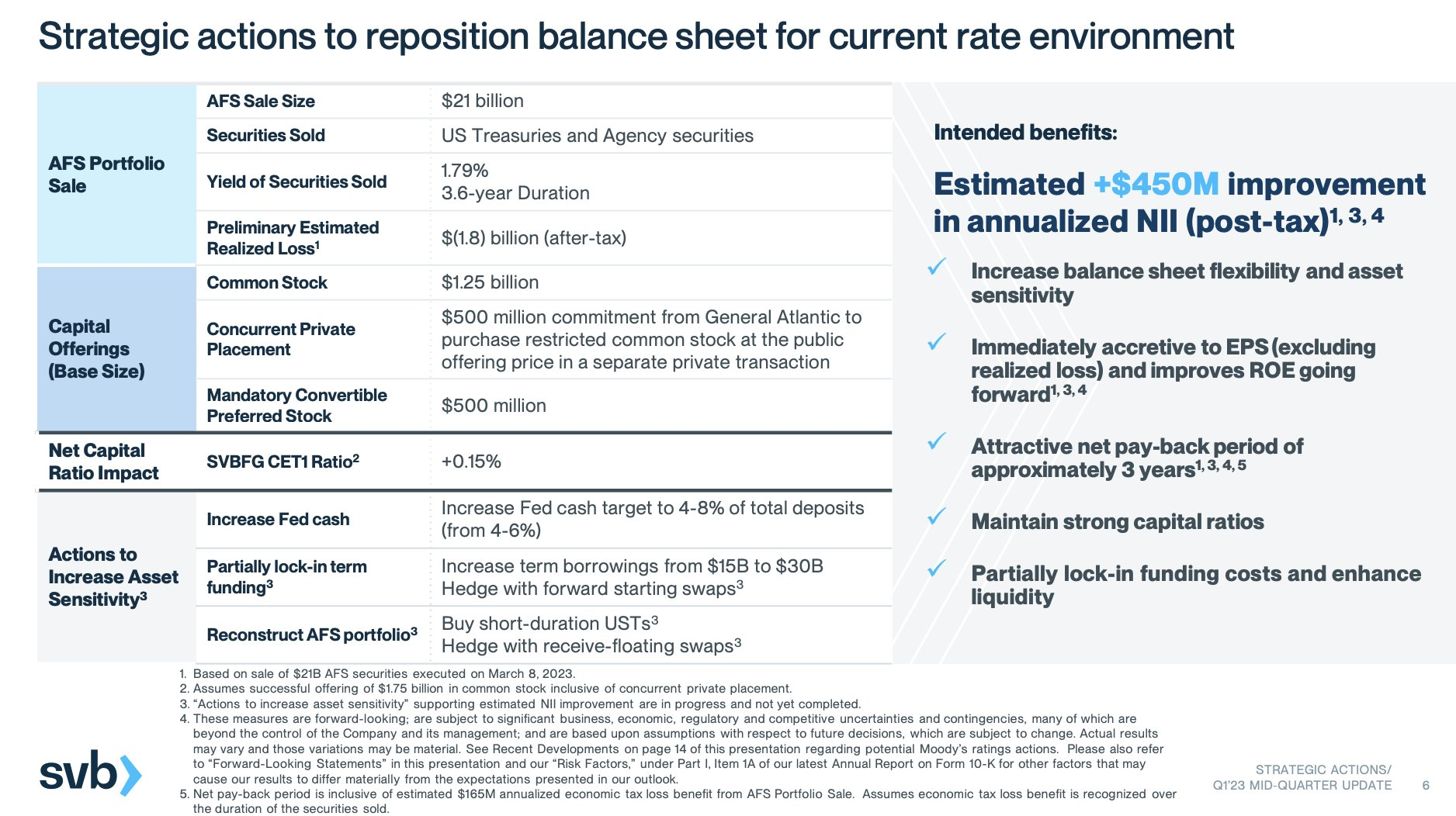
So the “safe investments” that SVB had in treasuries are now not worth as much any more. In fact they decided to take a loss of $1.8B. Which is a very small amount of money relative to their deposits.
To cover for those losses they were planning to sell stock to the tune of $2.5B.
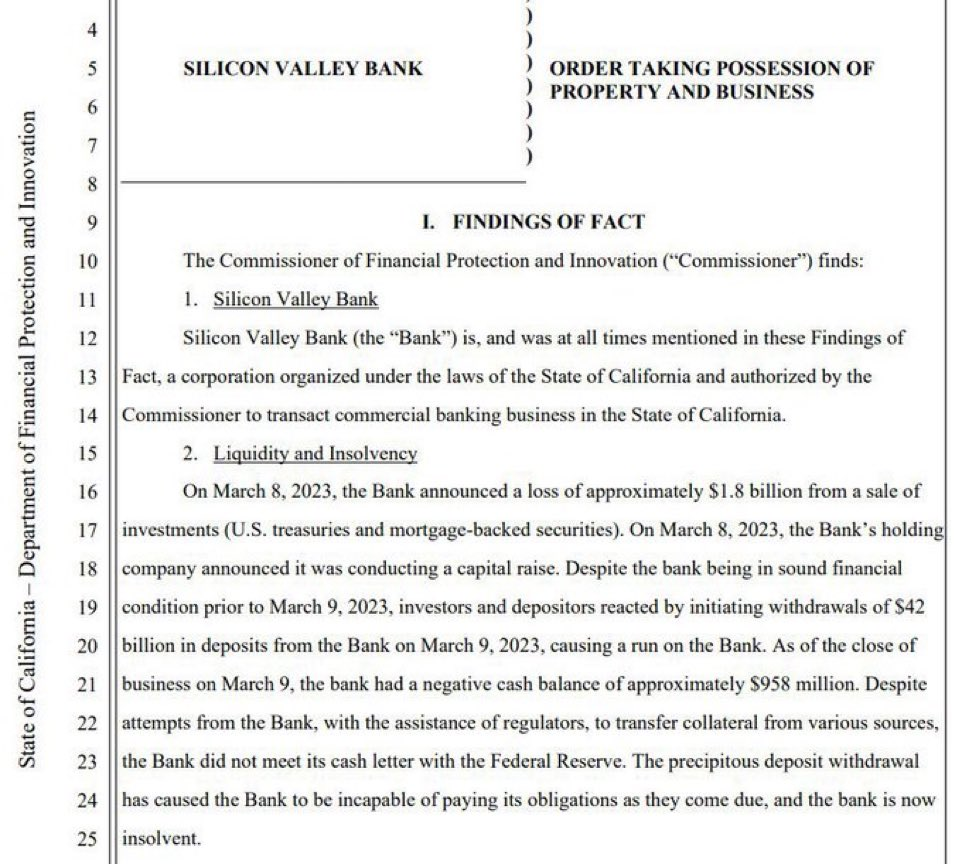
Some account owners decided to withdraw their money from SVB – “To be safe”. That created a panic – called a Bank Run.
Well it turns out a lot of startups pulled money out of the bank. $42 Billion to be exact. Many startup founders mentioned their venture investors suggested they do it.
Thanks to the bank run, today, FDIC decided to fold SVB, which means every account with < $250K ( federal deposit insurance limit), is clear but those with higher deposits (92% of accounts) are stuck. Why did the FDIC do that? That’s because SVB no longer had funds to support the bank run.
But, those companies who raised a lot of money and kept it “safely” in SVB, will have to wait until after Monday when FDIC will find a new mechanism to get them the money.
You are still a startup employee, whose company has an account with SVB.
You did not know the exposure to bonds would now create a miss to your paycheck next month. Hopefully FDIC finds a buyer for SVB and keeps the entire bank “alive” – on Monday.
Historically, however from FDIC, “most bank failures for non-insured accounts got back 10 cents to 20 cents on the dollar deposited”.
In the last 2 days their stock has taken a big beating (down 60% in day 1 and another 60% day 2).
While the best approach to be ahead of the curve is to invent a trend, many people dont have the luxury of time from their day job to invent or keep on top of trends within their industry or overall.
While many people are good at observing and keeping their eyes wide open, most people would like “another pair of eyes”.
I interviewed 5 people who spot trends within B2B, Marketing, eCommerce and consumer internet to understand their process. 4 of them now pay for a trend spotting SaaS product.
My initial thesis was that Venture Capitalists and seed investors are more likely to spot trends because they get so much inbound interest.
Turns out, most VC friends were asking me for trends in Platform Engineering, SaaS Control plane and headless eCommerce engines.
If you have the time, the process for following trends is simple:
a) Follow influencers & analysts in the space you are interested in,
b) track Google Trends, Trendsmap (Twitter Trends), Join many Facebook groups, etc. and
c)Subscribe to newsletters, blogs and YouTube content creators.
Unfortunately that takes time as well.
In the last 3-4 years several Trend spotting SaaS websites have started as well.
I wanted to share the 5 most useful trend websites, since each of them focus on specific niches and have their own pros and cons.
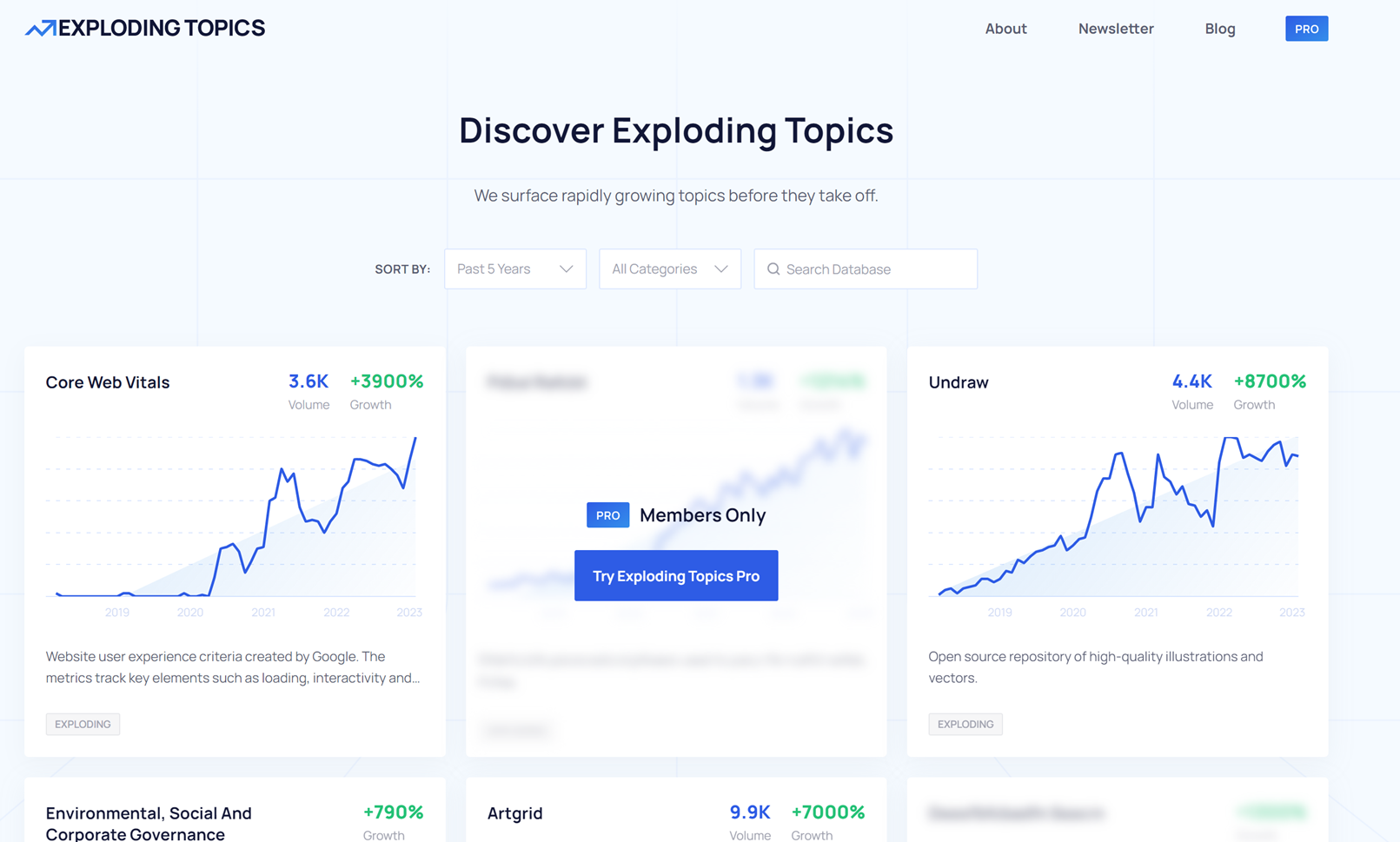
Exploding Topics: The site has over 15K topics and trends. They do have a few newsletter for 1-3 trends and charge $39 to $299 per month for their Pro Version.
2. Trends.vc: Is a curated newsletter with top topics within a specific niche but is also a community of people (1000+) interested in trends. You can join the community ($299 annual or $99/month).
3. Treendly is similar to Exploding topics, and bills itself as Google trends “on steroids. Pricing starts at $99 per year, but the free version is a good place to start.
4. Trend Hunter is focused on ideas, trends and captures early kickstarter campaigns as well. Pricing starts at $24K per year, so this is focused on the enterprise segment.
5. Trend Watching has a self service tool, called Trend platform, that costs $900+ per month, so it is aimed at the corporate market as well.
Of the 5, I personally like Exploding topics the most. For personal use to track specific topics and areas for our business, the tool does a good job and has sufficient coverage in technology and developer trends.
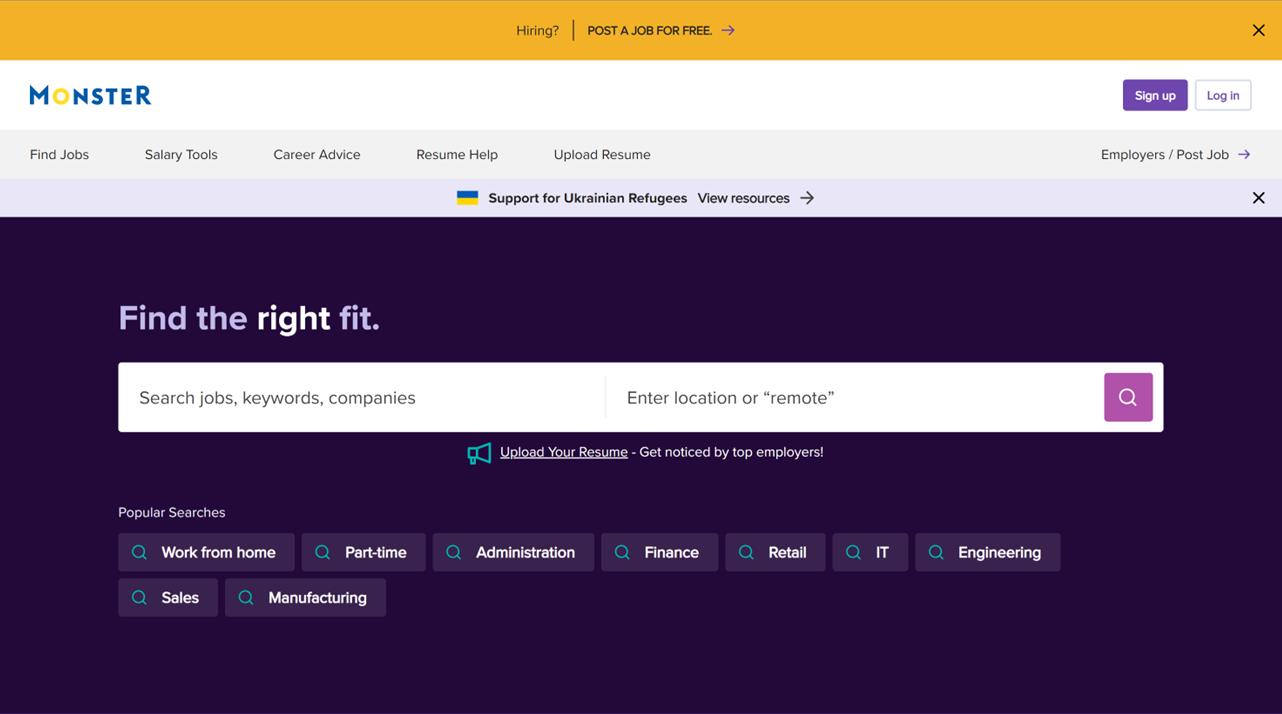
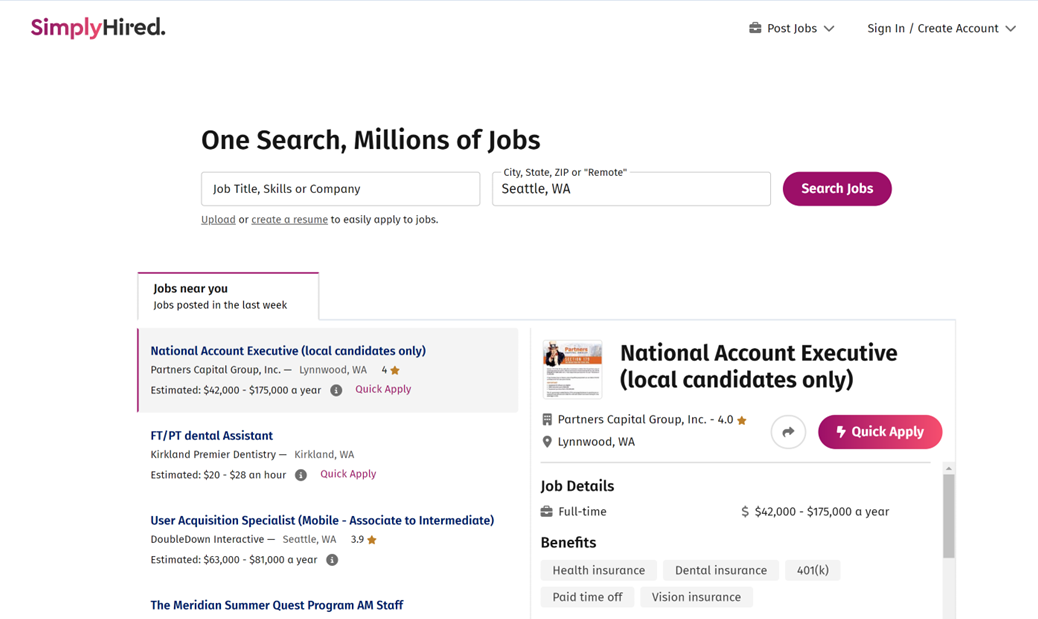
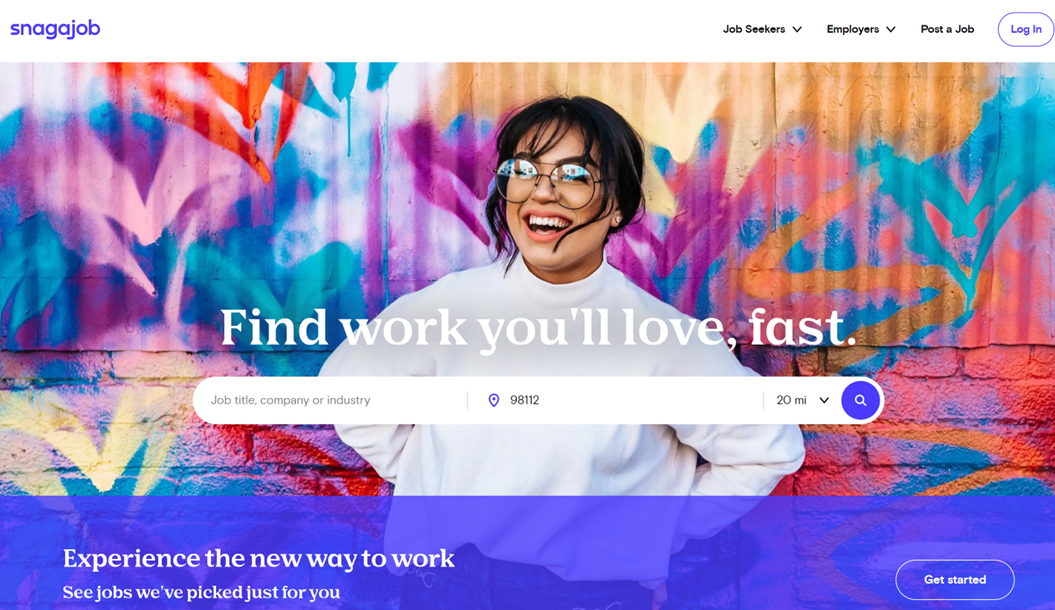
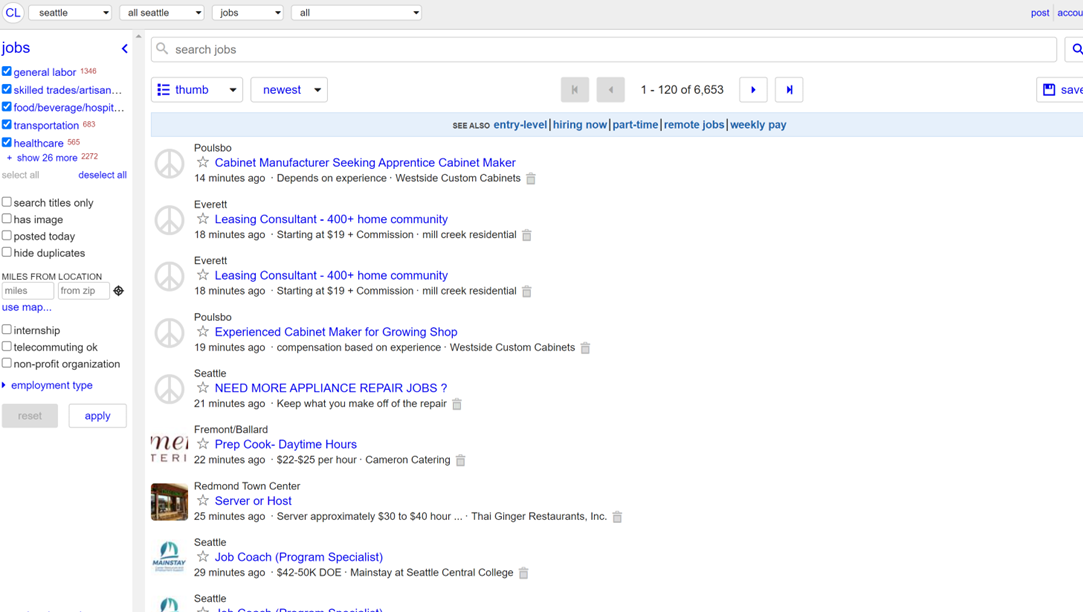
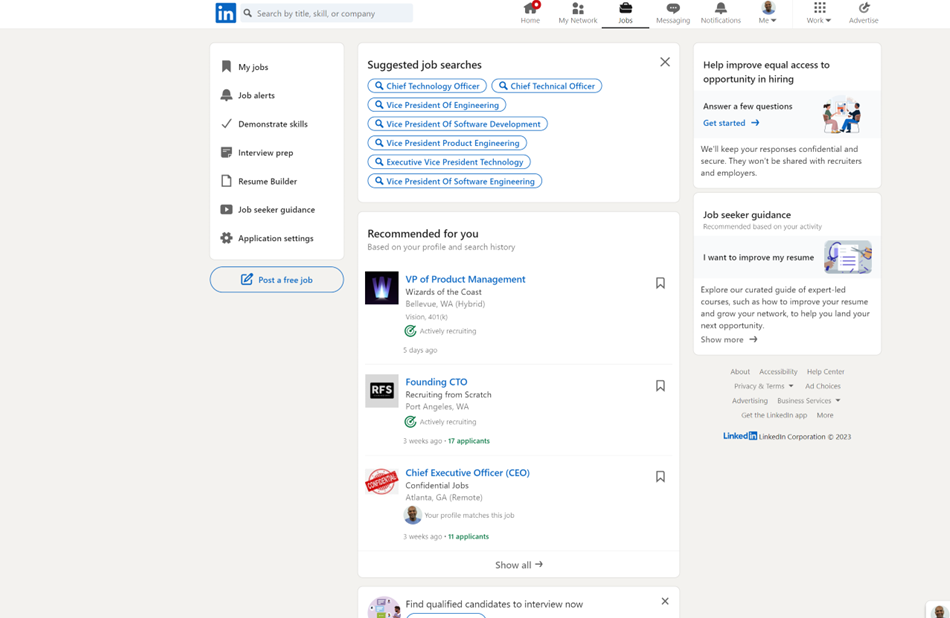
There are hundreds of “job listing websites” from AngelList to Ziprecruiter and LinkedIn to Indeed. The top 25 have consistency in their search, job listings (number of available jobs) and information about the job.
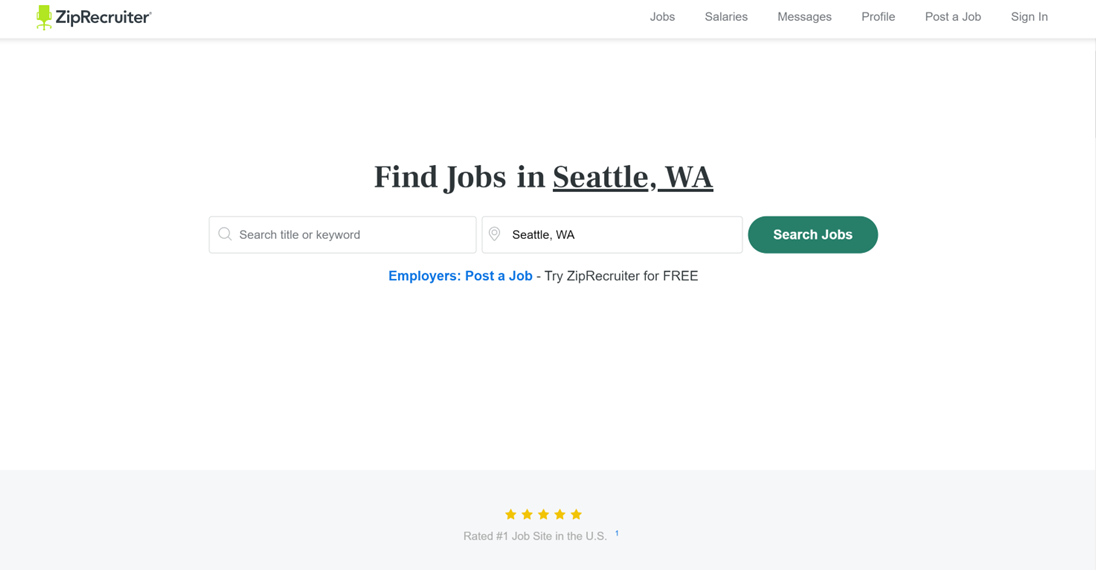
They all have the same user interface. I understand the value of simplicity and customer experience, but this is an area ripe for innovation.
ZipRecruiter – Search Title or Keyword, and location.
2. Monster.com – “remote” is the only different word
3. Simply hired – same except for “Job Title, Skills or Company”
4. CareerBuilder – adds Military Code
5. SnagAJob – at least the background is not plain
6. Craigslist – at least the location is predetermined for you
7. USA Jobs – government jobs, but same
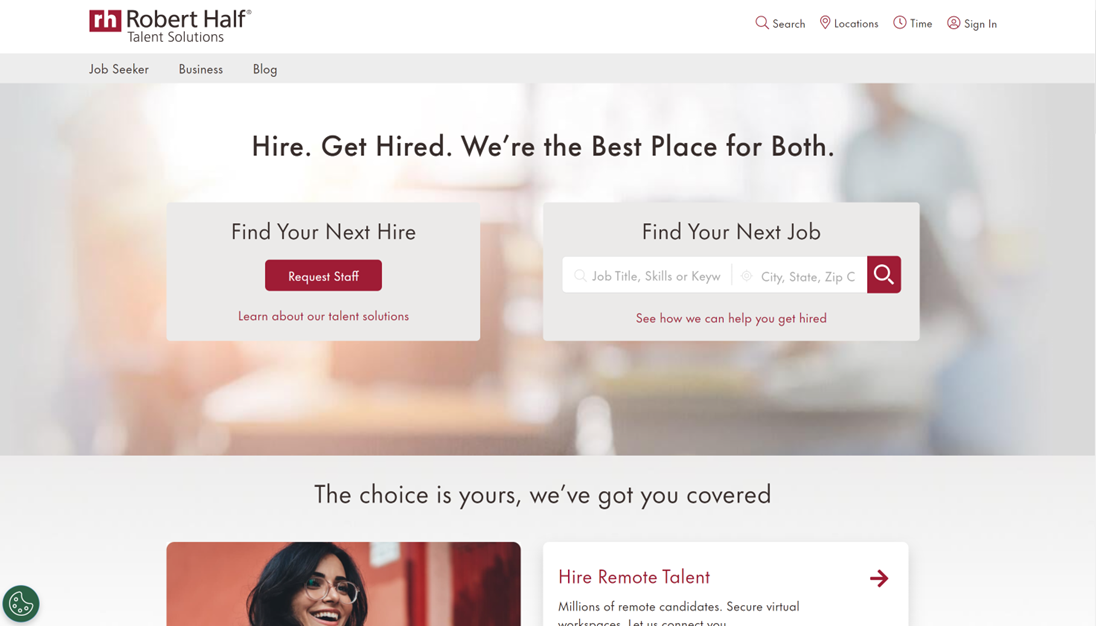
8. Robert Half
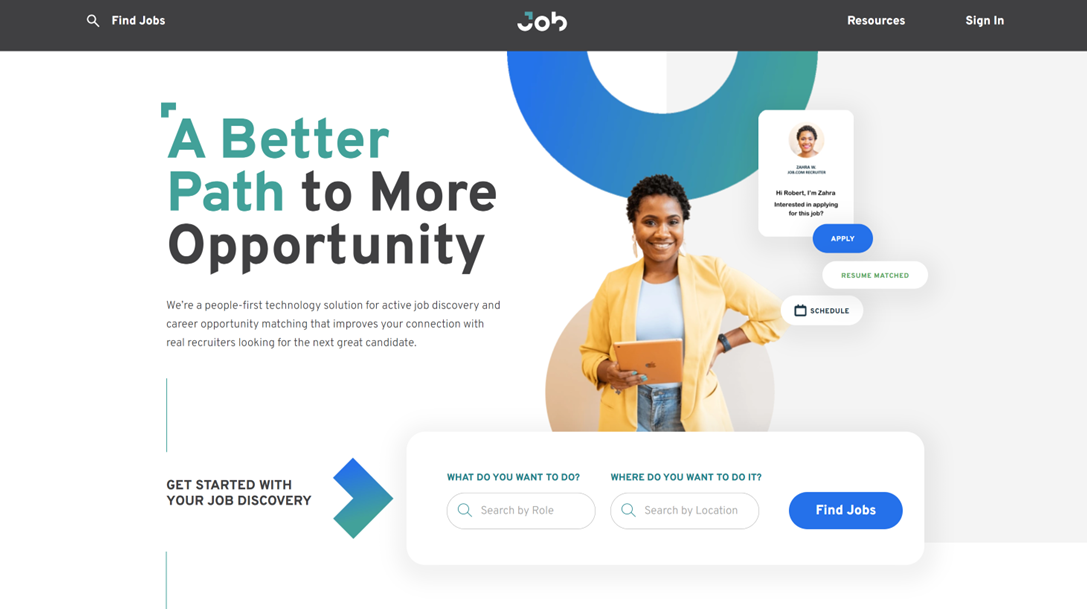
8. Job.com
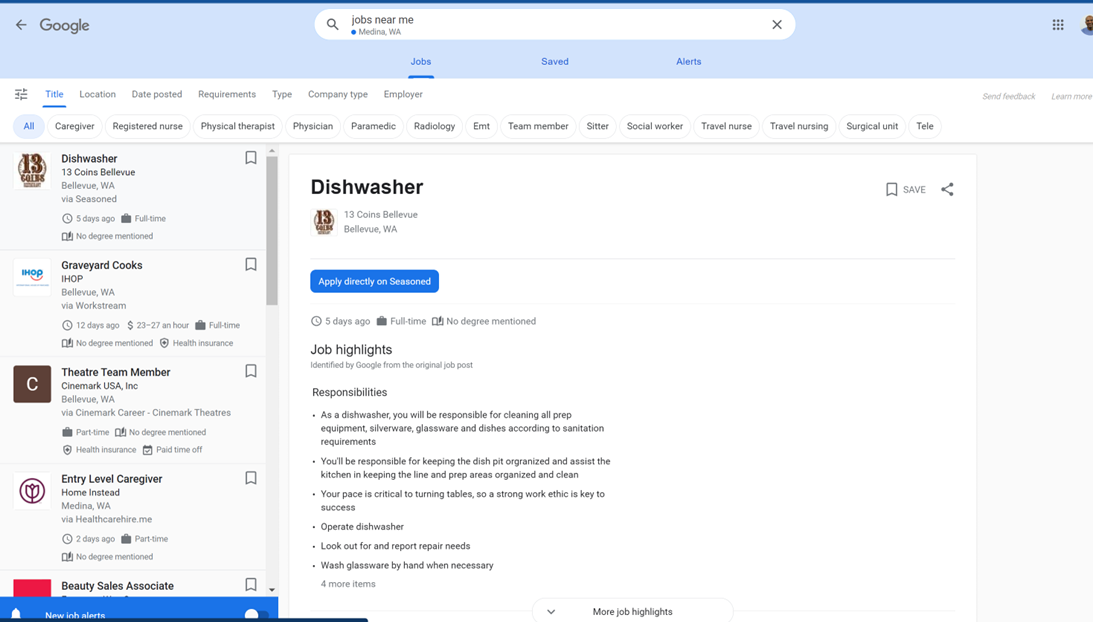
9. Google Jobs – the navigation that it provides begins on the top with one search bar
10. Indeed – more of the same
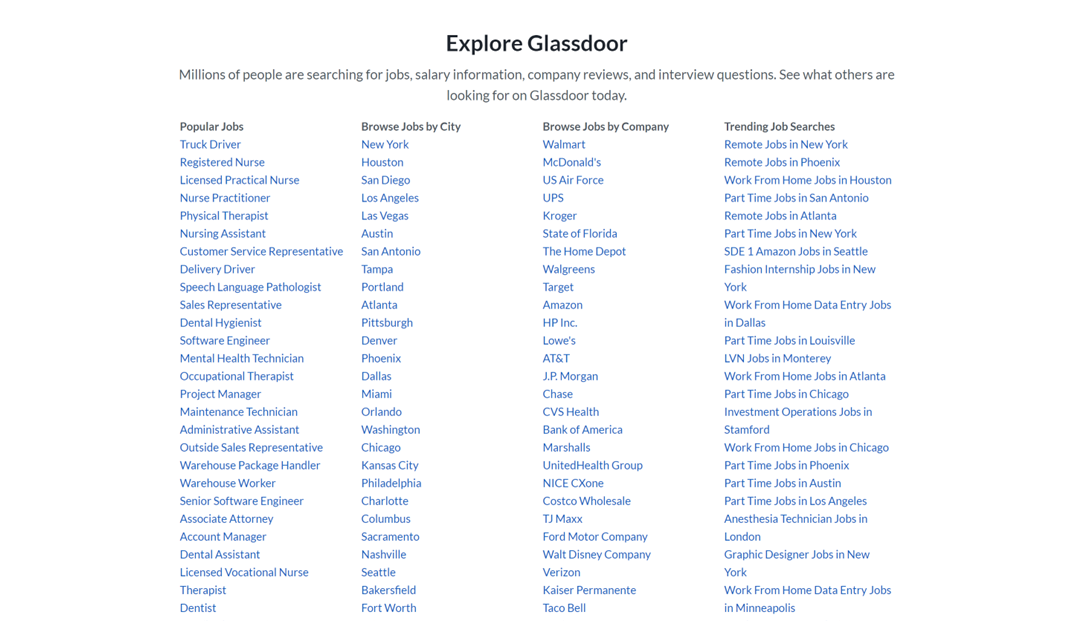
11. Glassdoor – Browse instead of search interface
12. LinkedIn – Single search bar for jobs, even though they know a lot more about you
Is this what candidates want in 2023?
Most of the younger people I talk to dont seem to care about title and are happy to take on a different role than their past might indicate (unless it is a job that requires you to be local e.g., cook, bartender, etc.).
What candidates do care about is:
Good manager
Company culture
Decent pay
Growing industry
Flexible hours
Health benefits
Professional coworkers and colleagues
What surprised me is even LinkedIn and Glassdoor not start with those elements, although they know that people care about these other aspects of the job more than location or job title.
If you were trying to build a new job board or website, I think you need to start with the meta data around those elements of the job first, although some maybe easy and others harder to obtain.
They way I would start is with the job posting. The company ( or individual) has to complete those sections (including pointing to Yelp-like reviews of the manager) such as culture, flexibility, benefits first.
That would allow you to help candidates filter by those criteria, or use a wizard-based interface to guide candidates through those questions before you help them with the right role or job.
LinkedIn has over 900 Million users as of 2023. Over 199 M of these are in the US and over 101 M in India. LinkedIn Creator mode was launched in March 2021.
A year later, over 10 Million users turned on Creator mode and 2 years in, 30 Million have turned it on. Less than 400K users, however publish weekly and fewer than 100K daily.
Creator mode offers 1/ LinkedIn Live ( video and audio streaming), 2/ Newsletters, and 3/ Follow link (instead of connect)
Having been using it for the last few months after an initial use in 2021 (Mar – Aug), there are 5 things I have learned about it. There are many articles on how to use it and why you should use it, but this post is focused on who should use it and for what purpose.
I would only recommend LinkedIn creator mode if you are selling to businesses and have services that they desire. That means if you are an eCommerce company, consumer internet startup, etc. it wont give you the return on time spent.
LinkedIn Creator mode (LCM) is best if you are offering services (consultants, non-fiction book authors, personal branding as a business coach, boutique small agency) as opposed to products (SaaS companies are not a good fit).
LCM makes most sense if you intend to create content frequently – which ranges from daily to weekly. It is also helpful to have everything in one place – a newsletter, “Podcast”, live webinar, recorded video, etc.
LCM is useful if you create content that does not drive traffic away from LinkedIn (i.e. link to your blog post, etc.) When I created content on my blog (outside LinkedIn) and posted a link on LinkedIn, the # of visits and views were < 100, but when I took that same content and posted a summary of the blog post in < 100 words, with no links and no hashtags (to test the platform), the number of views increased to > 2400.
Since the content “lives” on LinkedIn, the discoverability is a lot harder with organic Google search. I took 3 articles which I ranked on the first page of Google search results organically (and have little competition for) and repurposed the content for LinkedIn, with some changes, but the LinkedIn optimized content does not show up in the first 2-3 pages of search results.
LCM makes sense if you do not want to spend money on hosting your own website, blog or podcast (which can be a cost and daunting for non technical folks, albeit easier now than ever before).
A big disadvantage of using the LCM newsletter is that you do not have access to the email addresses if you ever wish to move to a new platform (such as Substack for example).
One list of the top 200 LinkedIn creators shows most of them are personal branding coaches and career coaches.
Another angle to use is it for “temporary” branding.
Lets say you are in between jobs or taking a break in your career, or you wish to write a book, but that’s not going to be your main focus in the long term. LCM would be the best use of your time, with a low footprint, low cost approach to “temporary” personal branding or campaign.
Bottom line if you intend to be a consultant or freelancer, or offer a service (courses, tutorials, etc.) that appeals to career professionals, then LinkedIn Creator Mode may be a good option for you.
ChatGPT has more paying subscribers than Twitter Blue as of March 1st 2023.
The information reported that it obtained an internal document, on Feb 6, 2023, from Twitter, which put the total number of Twitter Blue ($8/ months) subscribers at 180,000. [1]
The business of apps reported that as of Feb 2023, ChatGPT had 100 Million users. [2]
With 667M visits in Dec 2022, 893M visits in Jan 2023, OpenAI moved to over 1 Billion visits in Feb. [3]
Not surprisingly the audience skews heavily US (20%), young (61% are under 35) and mostly male (61%) of the 100M.
Among the top 5 people profiles, 1/ students, 2/ teachers, 3/ marketers, 4/ content writers, 5/ software programmers make up over 52% of the users.
So to find out who’s paying for ChatGPT we need to triage information from multiple sources since OpenAI has not shared the number of paid users. ChatGPT Plus ($20 / month) was introduced on Feb 1, 2023. [4]
According to a survey of developers on Feb 6th, nearly 7% of them were willing to pay for ChatGPT [5]. Multiple surveys reveal the number of paying subscribers it far less than 1%.
Doing the math with number of people by role and the conversion rate, I estimate the number of paying users to be 215K, which is more than Twitter Blue subscribers.
Software version control is a very important element of the lifecycle of development. Developers share the latest version of code they are working on in a repository that helps all team members be on the same page.
Gitlab $GTLB filed to go public today and the S1 provides their overview, strategy and growth plans with financial background, which I will breakdown. This is an important software category so I am keen to seek a position in the fast growing company.
$GTLB helps multiple developers work on the same code without stepping on each others code or hindering the other’s progress. Each developer works on their own “branch” or copy of the main code and after making changes will “commit” changes via a “merge request”.
$GTLB Gitlab is an online hosted platform built on open source Git to help organizations manage their code repositories and the entire software development lifecycle.
$GTLB now has a complete platform for DevOps (Developer + Operations) which helps companies deliver software faster, securely and with fewer bugs. This helps them have an archive of previous changes and versions.
$GTLB The complete lifecycle of Devops spans project planning, or Plan, to source code management, or Create, to continuous integration, or Verify, to static and dynamic application security testing, or Secure.
$GTLB allows packaging artifacts, or Package to continuous delivery and deployment, or Release, to configuring infrastructure for optimal deployment, or Configure, to monitoring it for incidents, or Monitor.
Finally $GTLB helps to protect the production deployment, or Protect, and managing the whole cycle with value stream analytics, or Manage.
$GTLB was founded in 2014, a few years after the founders started their open source project, by Sytse “Sid” Sijbrandij (CEO), Dmitriy Zaporozhets and Valery Sizov.
In 2015 $GTLB raised series A funding from Khosla ventures and has raised over $400M to date. Gitlab was last valued at $6B in a private market transaction in Jan 2021.
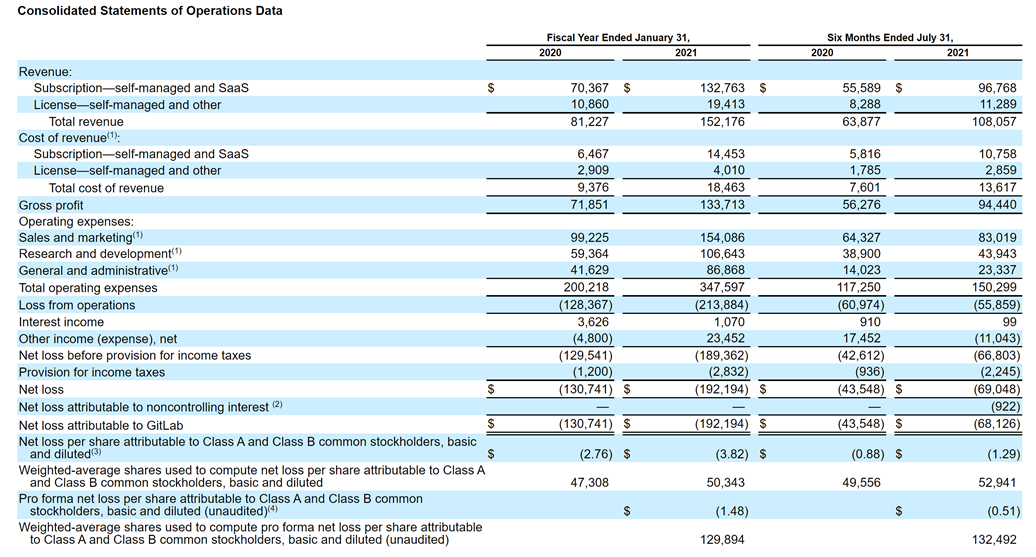
$GTLB Revenues in CY Q2 rose by 69% to $58.1M ($230M annualized), with losses at $40M. The company has over 1345 “fully remote” employees in 65 countries. They have a net retention rate of 152% – which is among the best in the industry.
$GTLB gross margins are a very healthy 88% (industry leading) and 52% operating margins, which are terrific as well. They have over 3600 customers and over 2600 contributors to their open source projects. 383 customers spend over $100K annually.
From a few friends who use $GTLB in the valley they are a very sticky application. Once a customer decides to implement Gitlab they rarely leave.
$GTLB competes with $TEAM Atlassian (BitBucket) and $MSFT (GitHub) and many other source code repository solutions. The market opportunity for the DevOps Platform is approximately $40 billion according to Gartner, which makes this a large TAM.
My analysis: I like $GTLB a lot and will be interested in a position, but I suspect given market conditions the company will be public at $10B to $15B valuation, which implies a 43X to 65X NTM revenue multiple for a company growing at 69%. If I am able to get in under $9B valuation, which I doubt, then I could consider sizing up to 2% of my portfolio.
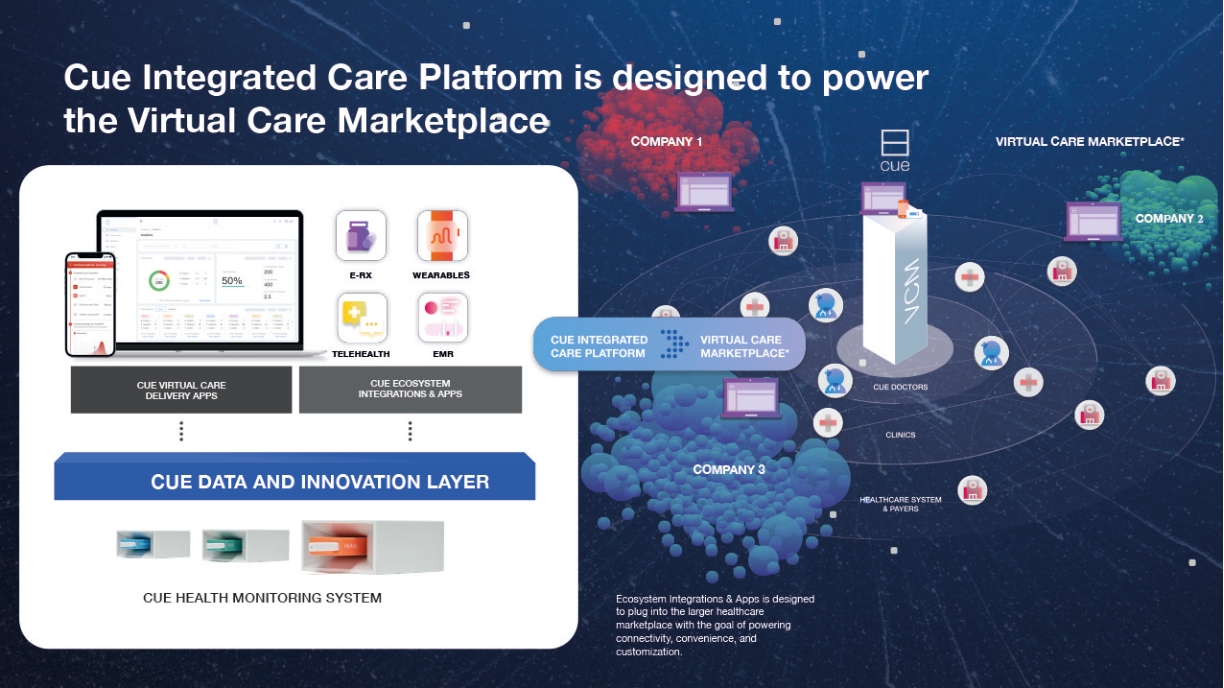
$HLTH is a fascinating company and I am going to take a very different approach to this IPO overview. Cue Health manufactures a rapid healthcare diagnostics product. It is similar to home glucose meters or pregnancy kits.
Cue $HLTH intends to sell its devices direct to consumer. It is currently sold to healthcare professionals. It currently provides a rapid (25 minutes) Covid 19 test, which is FDA approved.
$HLTH – In 2009 after the SARS virus, Ayub Khattak (UCLA 2010) and Clint Sever, co founders of Cue decided to build a device that detects the virus at “home” instead of going to a diagnostics lab to test for the virus.
$HLTH founders
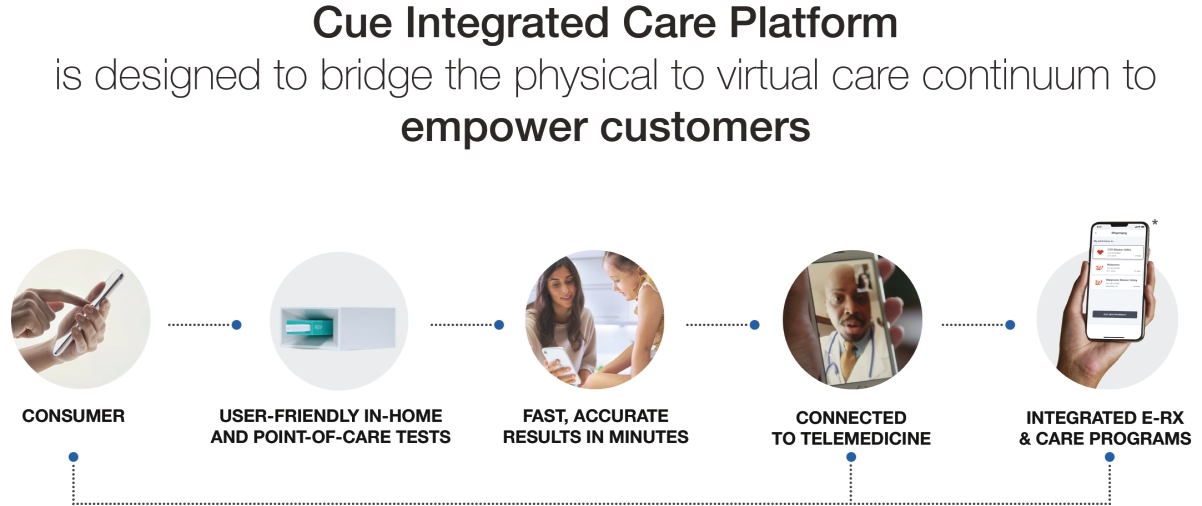
After multiple iterations and funding from incubators, accelerators and other institutions, they launched a version of their diagnostic device in 2015. Sold for $150 (pre order) or $300, it detected vitamin D deficiencies, testosterone levels and influenza. Each test can be administered with a cartridge (sold for $2 – $10 each). The device itself is handheld.
Users provide a nasal swap, or drop of blood or saliva, depending on the test. Results arrive in minutes, displayed on an iPhone or Android smartphone using the Bluetooth.
If this reminds you of Theranos (yeah, I had flashbacks too), the similarities end quickly. Since March 2020 the company got $481M in funding from the Department of Health and Human services (HHS) to ramp up production of its Covid19 diagnostic test.
$HLTH claims efficacy close to other (95%+) detection. The test is administered to patients by using a proprietary nasal swab (“Cue Sample Wand”); the swab is inserted into a small medical device (“Cue Cartridge Reader”) that analyzes it with a high degree of accuracy.
Cue Health has received funding from Johnson & Johnson (NYSE: JNJ)
$HLTH The U.S. government plans to buy about 6 million of the test swabs from CUE plus around 30,000 analytic devices to perform the patient sample testing analysis.
Cue $HLTH has received funding from Johnson & Johnson $JNJ and many others as well. (Disclosure: a colleague & acquaintance Ashish X is on the board of $HLTH and I have no position in the company).
In Dec 2020, $HLTH raised $235M at over $2B in valuation. It mentioned at that time that the Department of Defense, the NBA (National Basketball Association) were all customers.
With over 100 patents and over 1000 employees, the molecular diagnostics company has benefitted from the Covid19 test and ramped up revenue significantly.
$HLTH although the only test available now is Covid19, the company plans to launch (Late 2022) other tests as well.
$HLTH near term pipeline is strong and some of the other diagnostic tests are expected in 2021 as well.
Financials: Although 11+ years old, until 2020, $HLTH had no revenue. In 6 months of 2021 they booked $202M in revenue (+ Infinite YoY :). With 57% gross margins, they still managed $32M profit (Whoa) or $0.22 per diluted share. This is profitable company, but huge losses in 2019 (20M) and 2020 ($47M)
$HLTH has over $260M worth of convertible notes, however, so expect more dilution post IPO.
Risks: $HLTH is new, it is a young company which is scaling quickly thanks to the Covid19 – where it faces other competition as well. Although it is a 10 year old company, the production and ramp up has only begun in 2021.
$HLTH has not proven it can actually deliver all those other diagnostic tests as well. If the FDA revokes the EUA (Emergency Use Authorization) for Covid19, expect revenue to drop significantly.
In the near term (18 months) $HLTH is dependent on Covid19. Going by vaccination rates in the US, it seems like a safe bet, that they will continue to do well.
$HLTH depends on the US Department of Defense (DoD) for nearly 83% of revenue. This is another big risk. As part of their obligations to the DoD, they have to deliver 30K Cue readers and 6M Covid test kits. They currently have 100K per day manufacturing capacity in San Diego.
$HLTH has over 50 other diagnostic testing market competitors, many of which are much larger.
Valuation $HLTH has not mentioned its valuation, but it is expected to be between $3B and $4B (expected estimates) or higher. There are no growth metrics expected, but the DoD contract runs for 3 years. Commercial customers are also purchasing bulk Cue kits. At $3B this will be approximately 6X and at $4B 8X EV/Revenue, which is much higher than any other diagnostic competitor.
$HLTH has net income so the valuation metrics for EV/Net income should be 49X EV/Net Income at $3B valuation.
I am certainly going to watch this IPO closely. I am very interested in the $HLTH platform overall and keen to build a position for the long term